
A streamlined, user-friendly tool for managing timesheets and leave submissions. Designed to improve payroll accuracy, speed, and compliance while reducing administrative workload.

Payroll requires complete accuracy and compliance. A key part of this is collecting accurate employee data, such as hours worked and leave taken, to ensure each pay run is correct. However, gathering this information at scale can be difficult. It often involves time-consuming admin work for both employers and employees, leading to delays, mistakes, and miscommunication. To address this, we're building a simple and efficient employee submission app. It will make it easy to manage timesheets, submit leave requests, and streamline the entire payroll process.
- Design a simple, efficient employee submission app to streamline payroll by improving the accuracy and speed of collecting employee work data.
- Reduce administrative workload and errors, targeting a measurable drop in manual adjustments, compliance issues, and miscommunication — ensuring every pay run is accurate and compliant.
Designed a new employee data submission workflow to reduce payroll errors and delays. Led the process from research and product vision to prototyping, testing, and delivery, collaborating closely with the development team to ensure smooth implementation and alignment with business goals.
UI/UX Designer: Led end-to-end design process
- 1 x Project Manager
- 1 x Business Analyst
- 2 x Developers
3 months
Jira, Miro, Dovetails, Figma, Maze
Web Application optimised for both desktop and mobile devices
The original process of collecting employee work data was complex and time-consuming, requiring significant manual work from both employers and employees. This often led to user confusion, inaccurate leave tracking, and potential compliance issues due to unclear leave calculations. I designed the employee submission app to simplify the workflow, improve data clarity, increase calculation transparency, and reduce administrative workload. After launch, user engagement and satisfaction improved, with a significant reduction in manual work and increased confidence in payroll compliance.
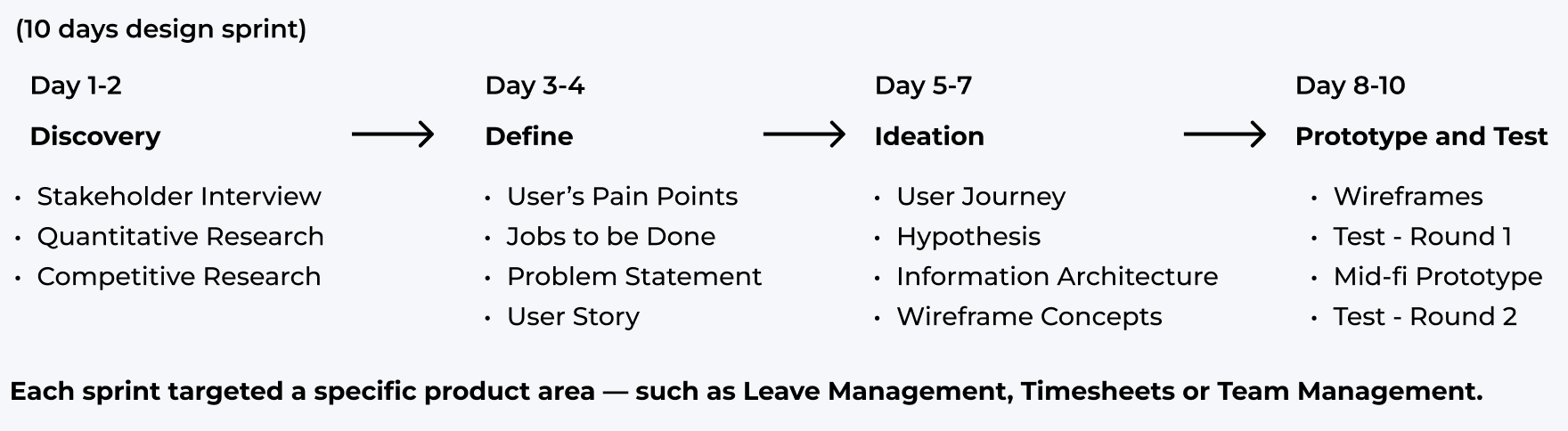
To address the challenges identified during research, I adopted a structured 10-day design sprint approach. This allowed the team to quickly align on priorities, explore multiple solutions, and validate ideas with users before moving into development. The process was highly collaborative, involving stakeholders, developers, and end users to ensure the final solution was both practical and impactful.
We conducted stakeholder interviews to deeply understand challenges, pain points, and real needs. Reviewing Jira tickets helped us identify recurring issues and uncover the root causes of errors. We also performed a competitive analysis to see how others in the industry address similar problems, grounding our approach in proven practices and real-world context.
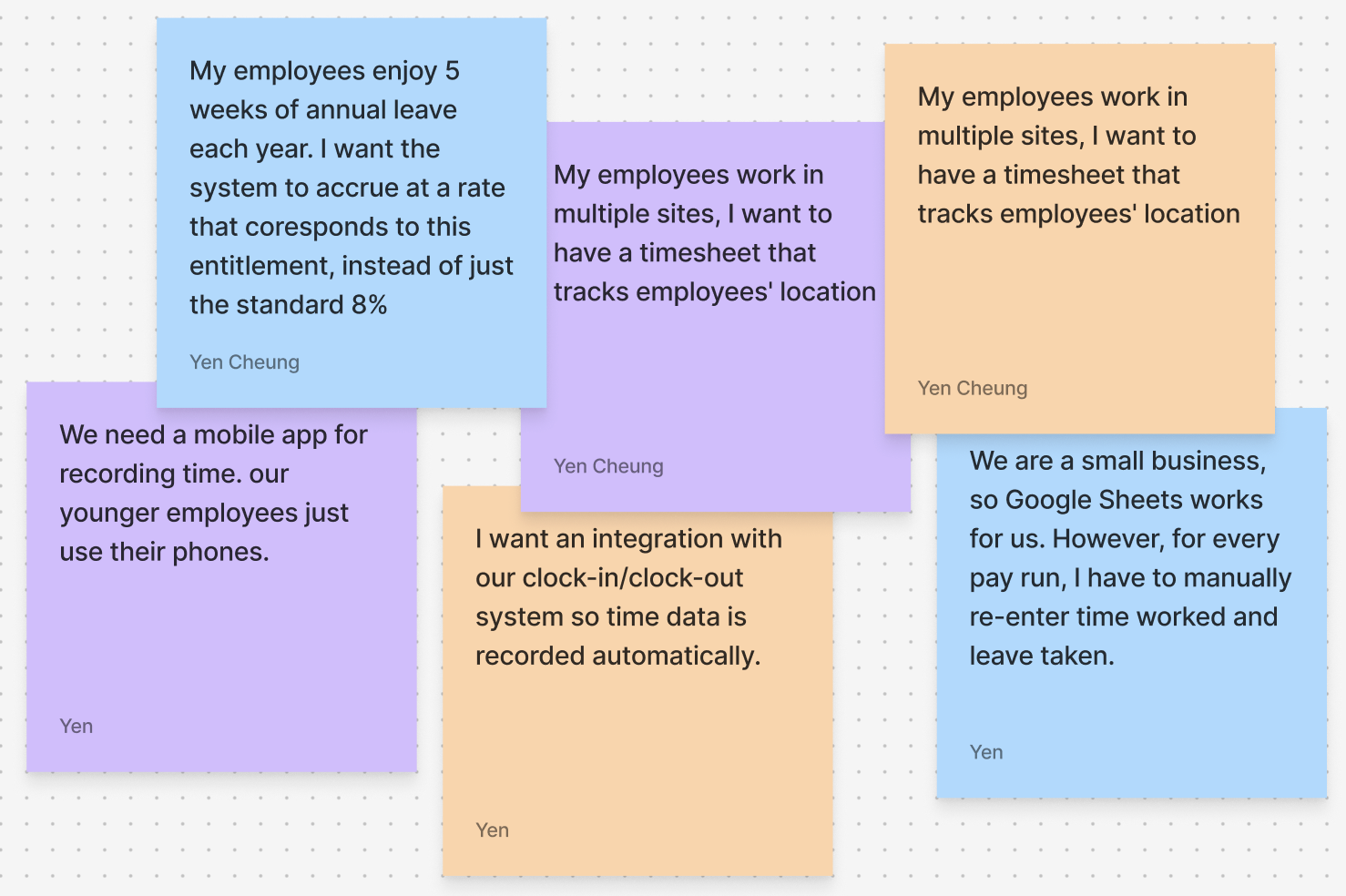
Stakeholder interviews to uncover challenges, pain points, and needs
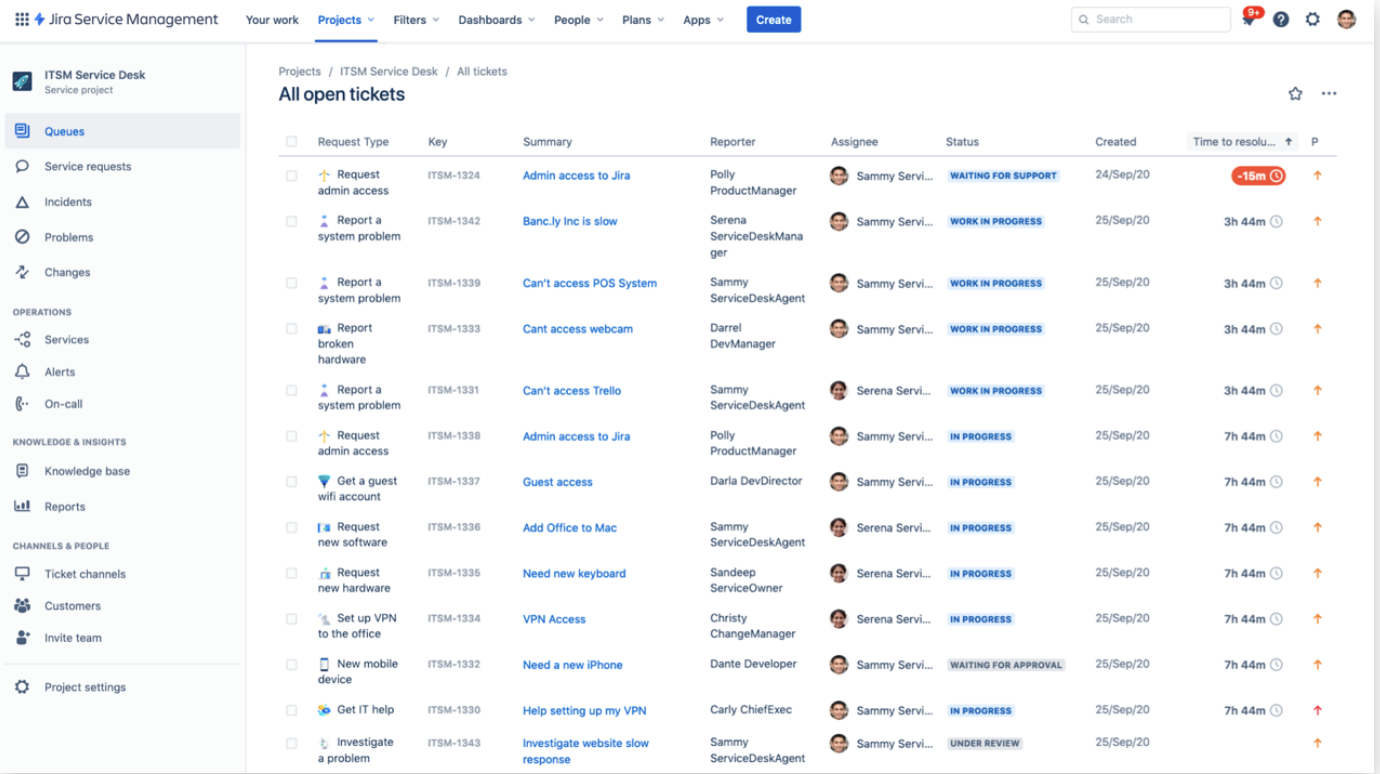
Review of Jira tickets to identify recurring errors and root causes
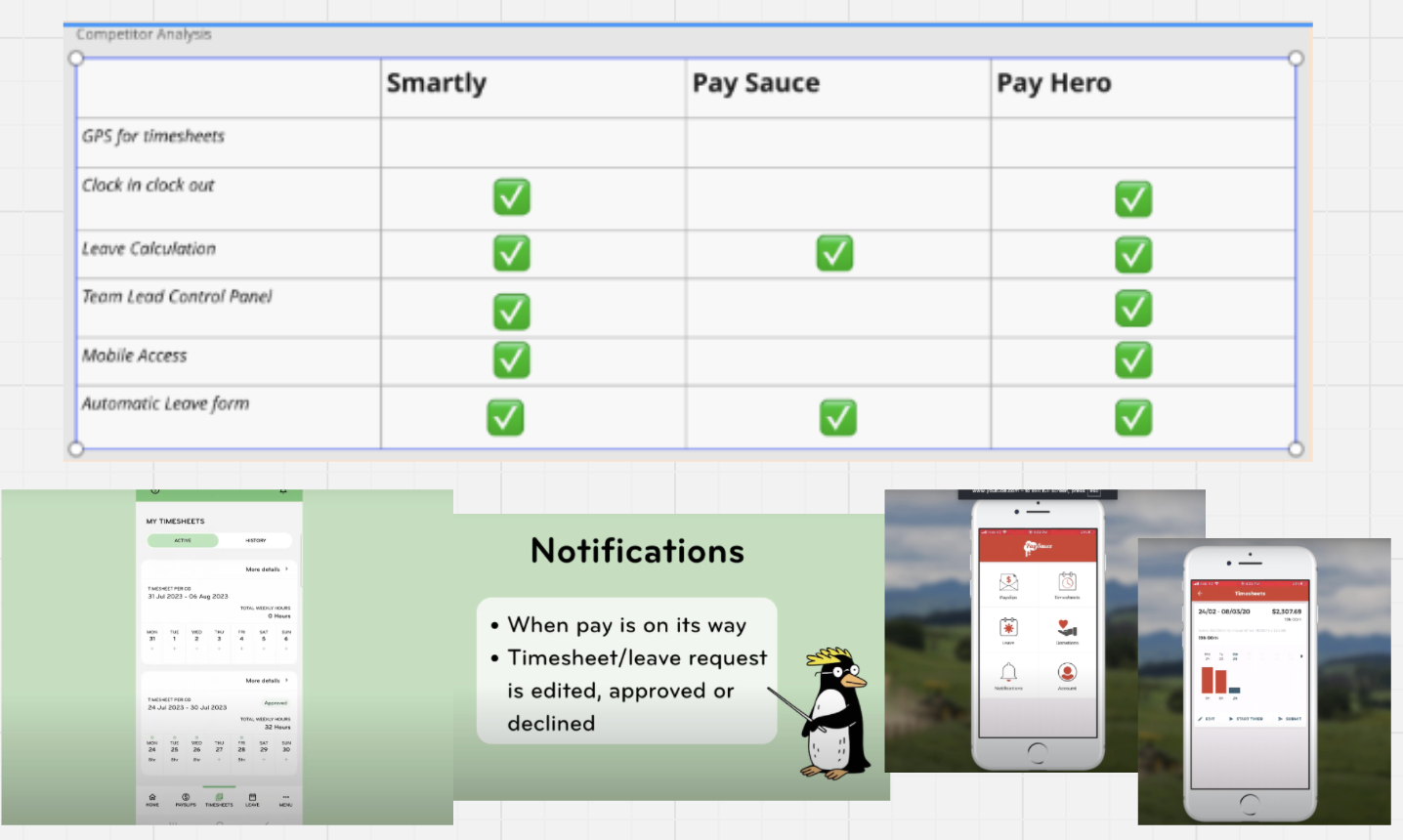
Competitive analysis of industry tools to benchmark features and identify gaps
- Users were familiar with the Google Sheets mental model.
- Leave calculations often did not match actual entitlements.
- Missing timesheets were the leading cause of payroll delays.
- Mobile submission features were common in competitor products but absent in ours.
- Strong demand for GPS tracking and integration with clock-in/clock-out systems.
In the Define phase, we synthesised insights from Discovery to map the customer journey, pinpoint root causes of key problems, and prioritise user pain points. Using the Jobs-to-be-Done (JTBD) framework, we organised findings into clear, actionable needs, ensuring alignment between user goals and business objectives.
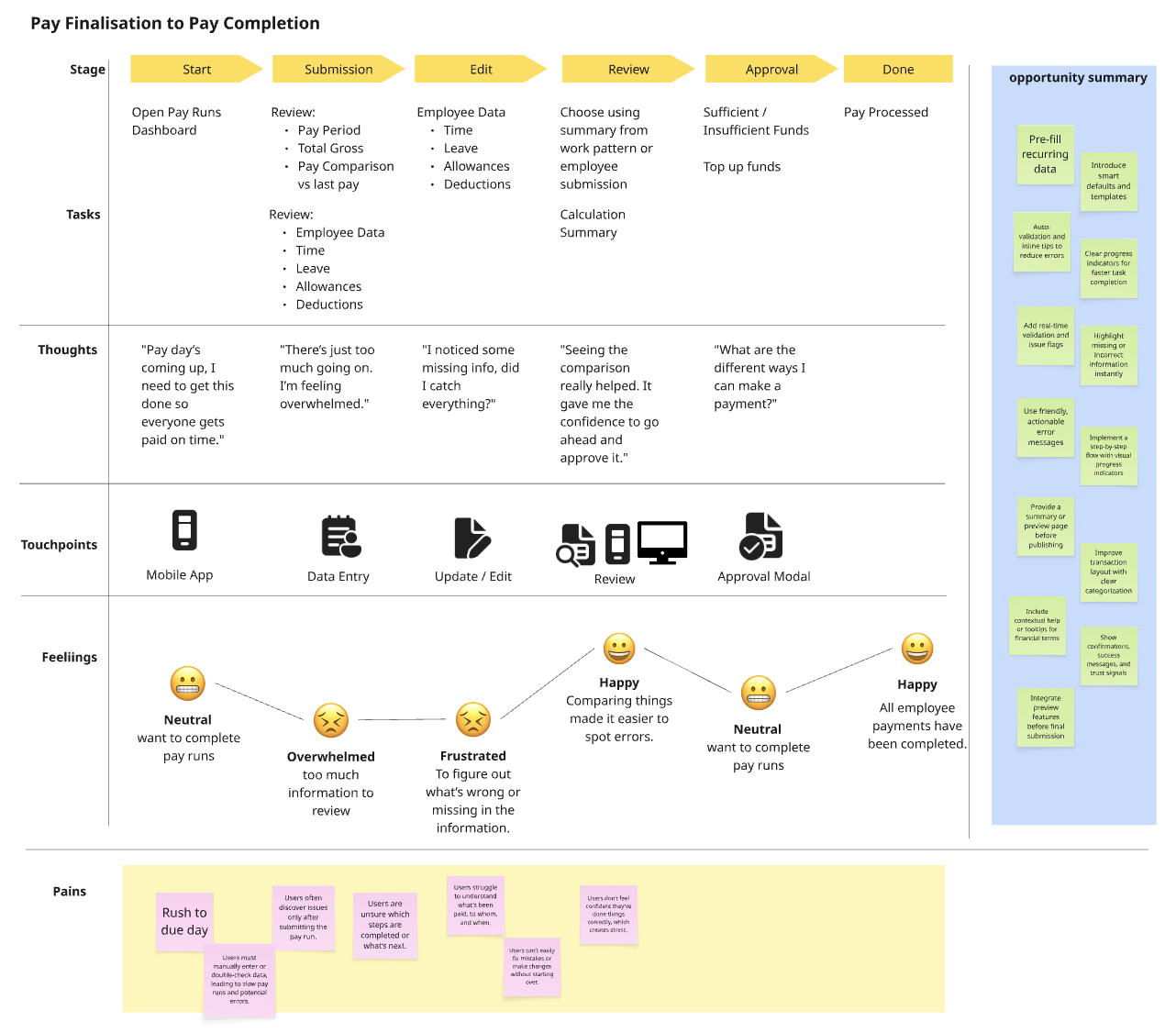
Customer Journey Map

Pain Points & Solutions
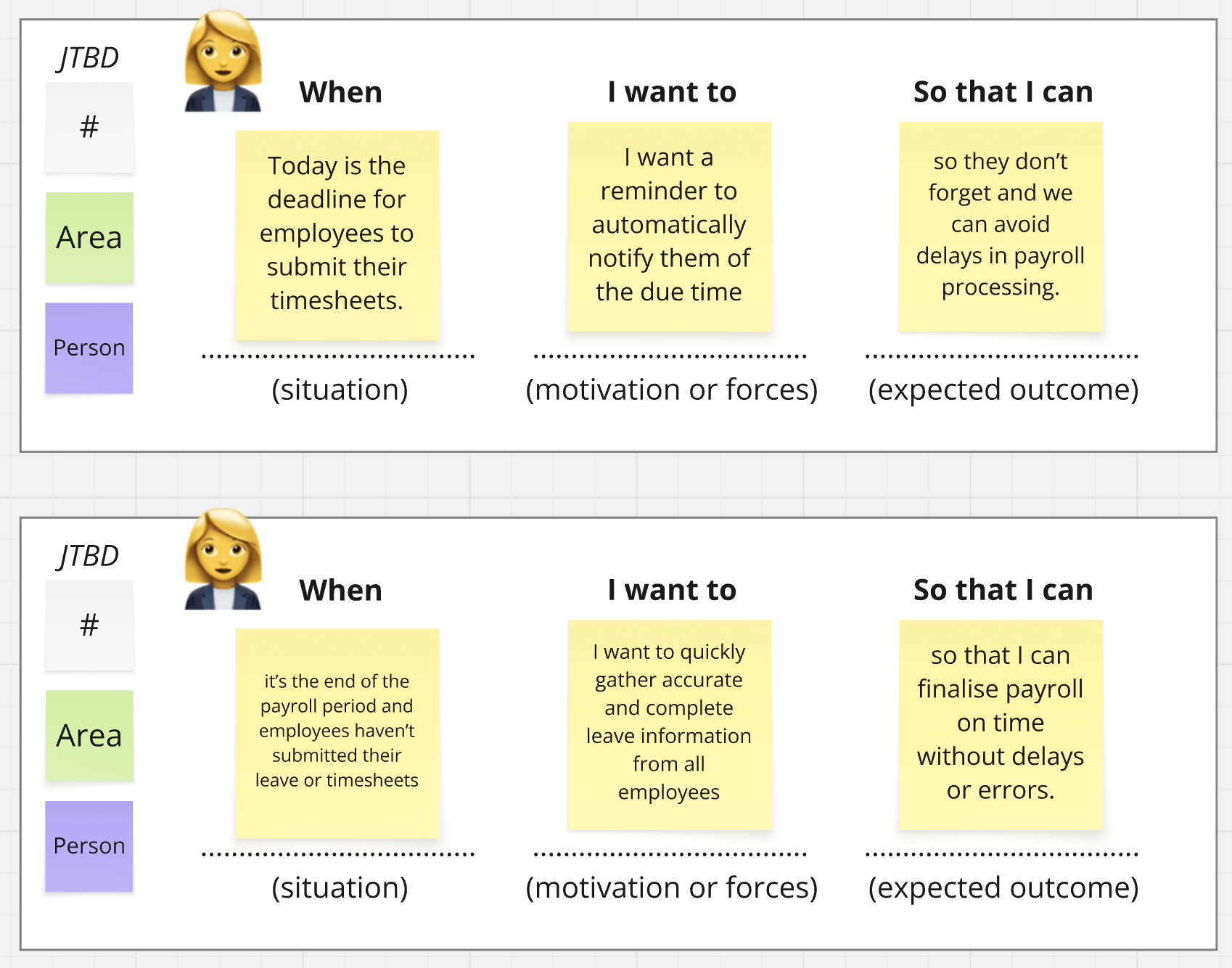
Jobs-to-be-Done (JTBD) framework
Mapping the customer journey revealed that the most critical bottlenecks occurred before payroll processing began, particularly due to missing or late submissions.
The Jobs-to-be-Done framework helped us address not only functional needs but also the motivations and desired outcomes behind user actions.
Many challenges were linked to manual processes and fragmented systems, suggesting that automation, integration, and proactive communication would deliver the greatest impact.
Based on our findings, we will define a clear problem statement and user stories, and collaborate with the team to ideate and develop effective solutions.
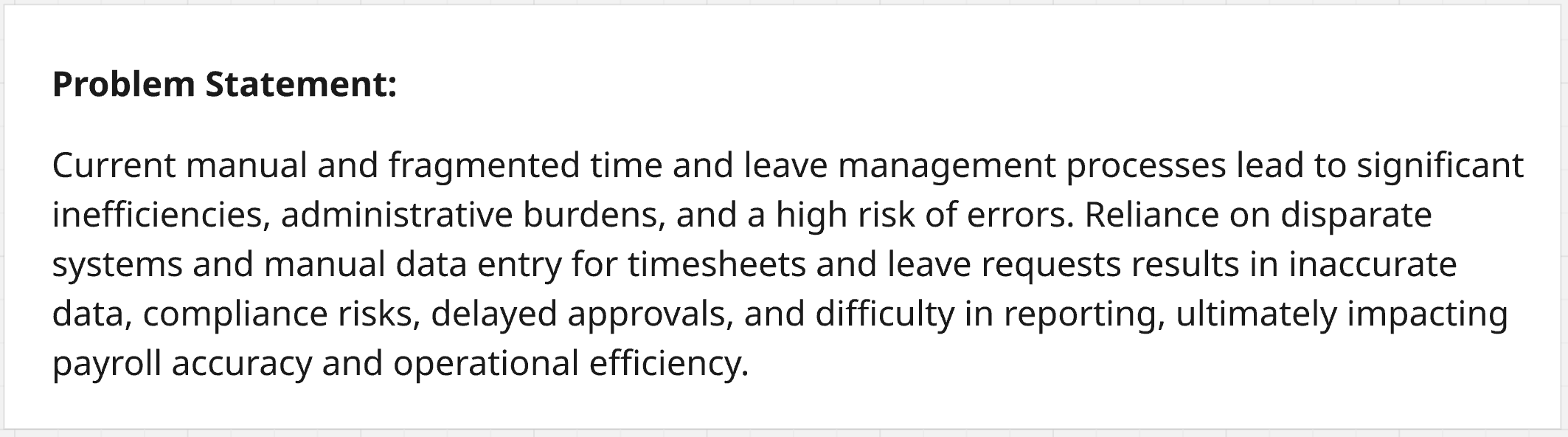
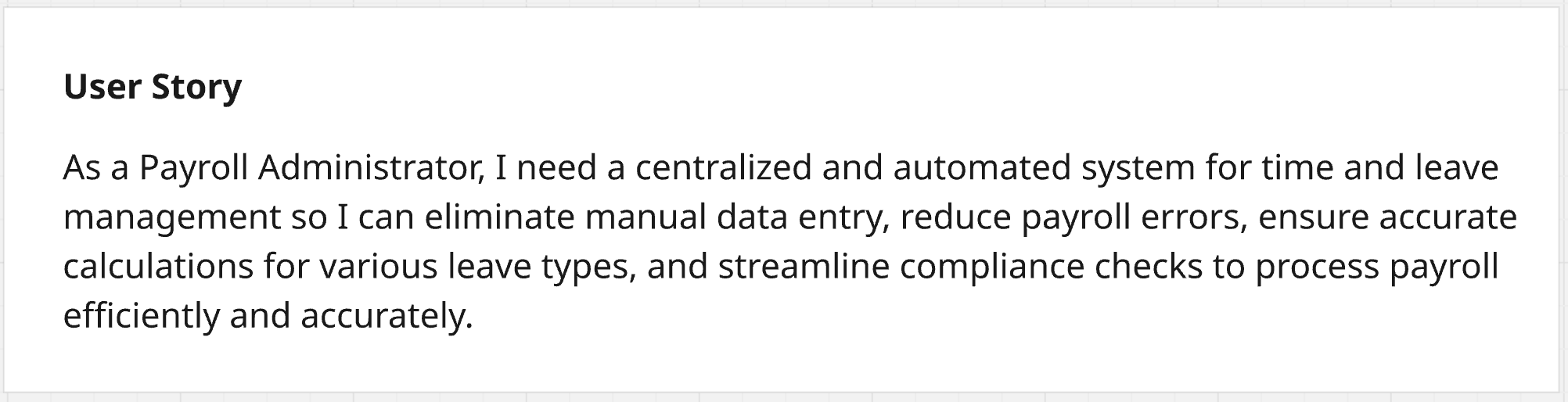
These insights and definitions gave us a clear direction for ideation. With a shared understanding of the core problems and user needs, we were ready to explore solutions that would streamline payroll workflows and improve accuracy.
In the Ideation phase, we translated insights into clear design opportunities by mapping the user journey, defining the system’s information architecture, and formulating testable hypotheses. This ensured that our concepts were grounded in real user needs and ready for rapid validation.
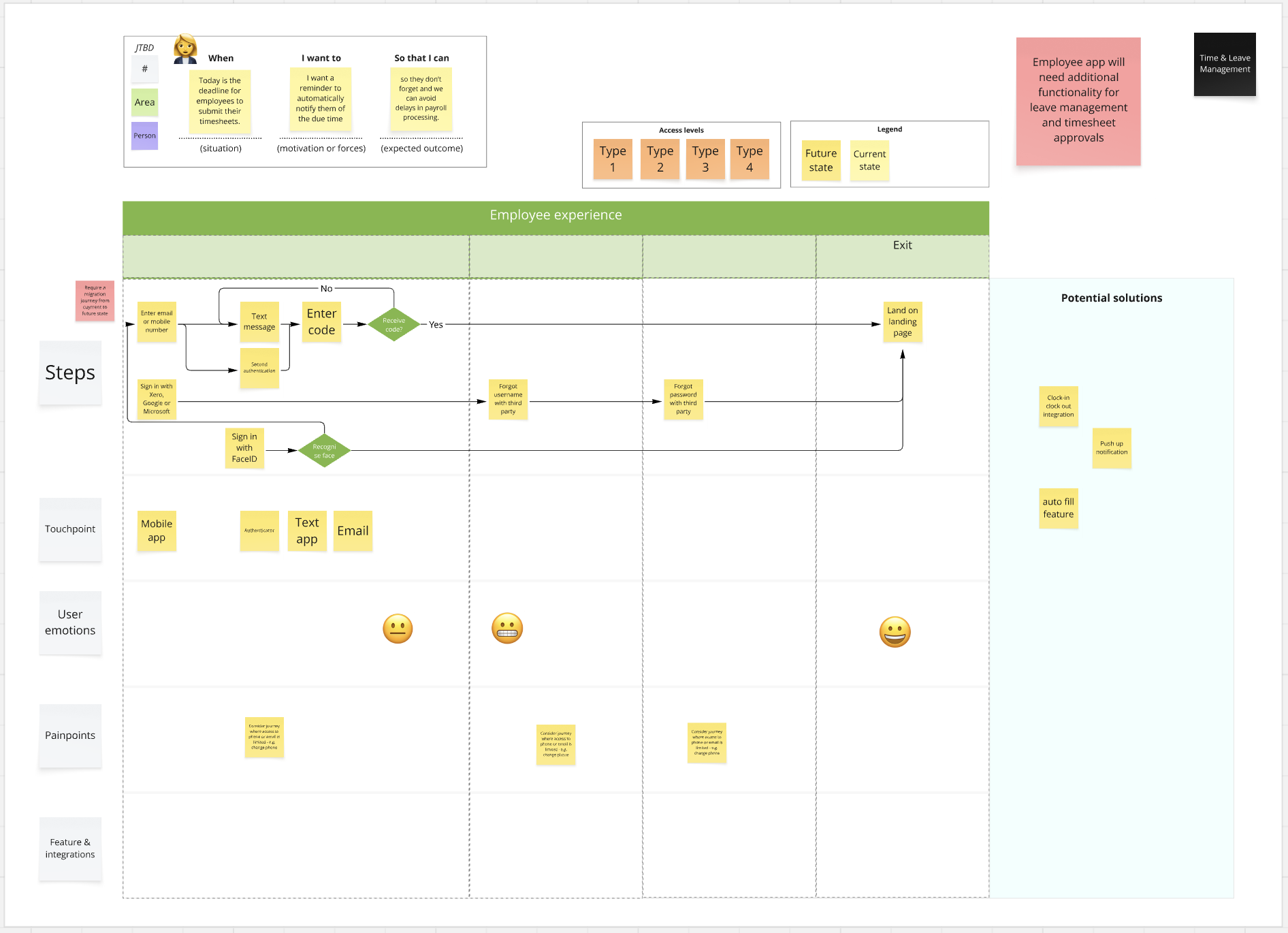
User Journey Map – Highlighted key touchpoints and pain points to target in design
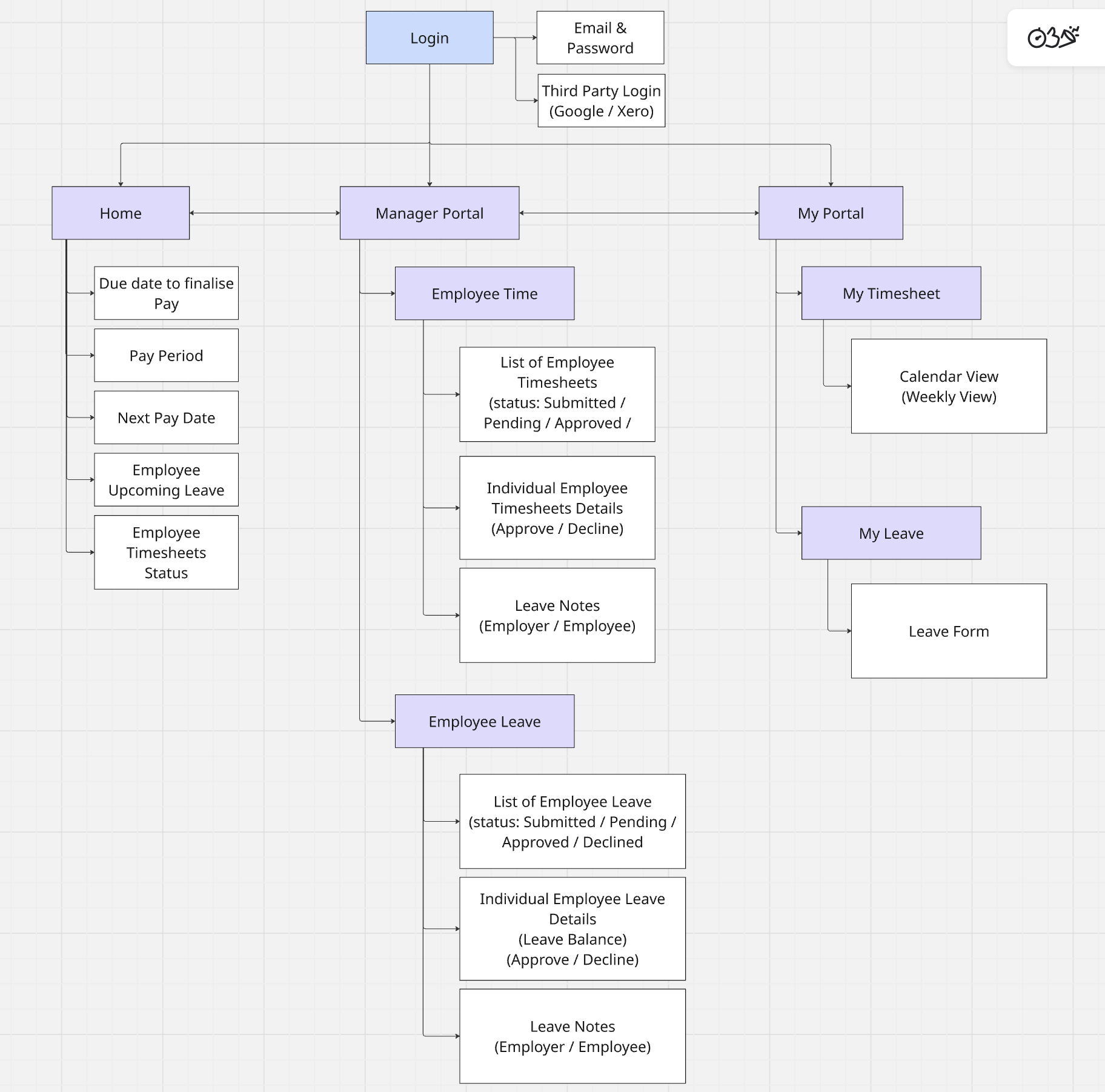
Information Architecture – Structured system flows to support clear navigation and content hierarchy
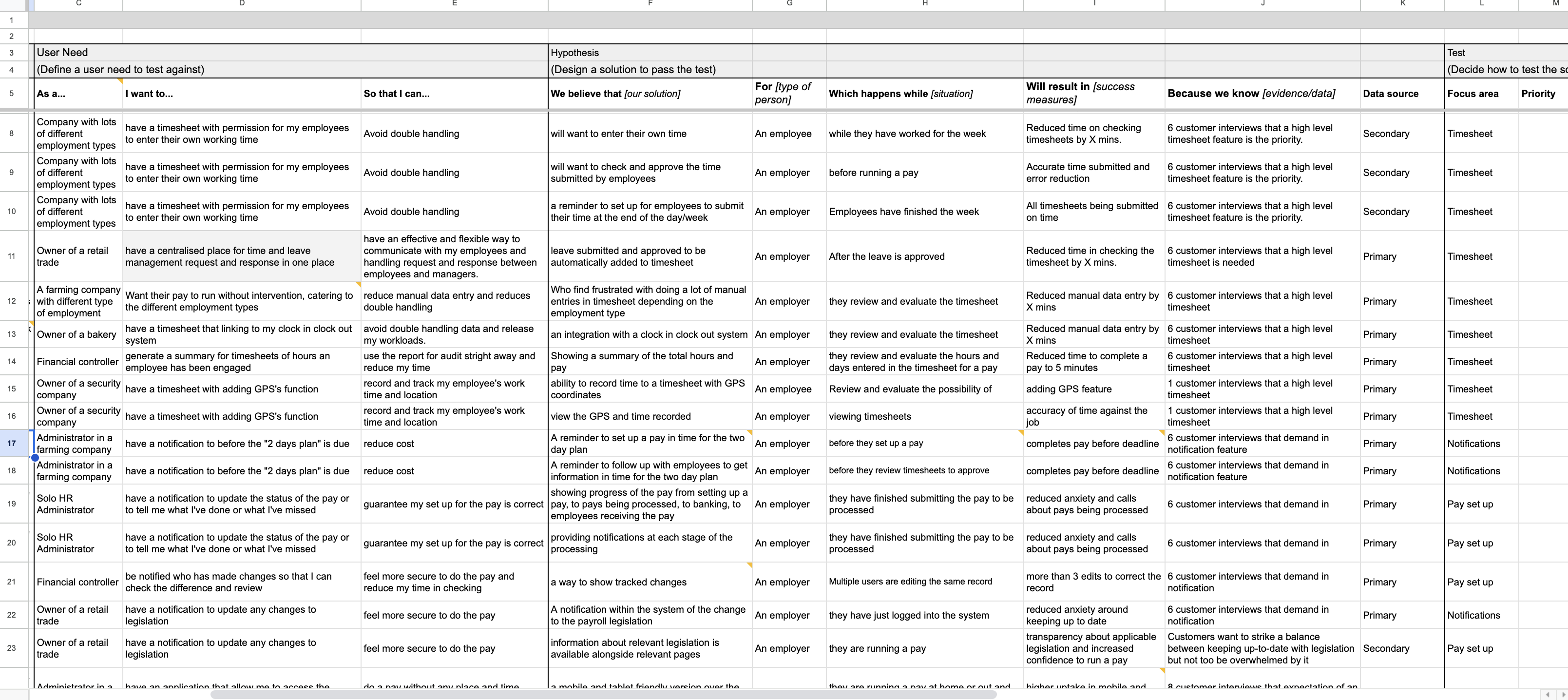
Hypothesis Table – Defined measurable design assumptions to guide prototyping and testing
This phase gave us a clear blueprint for solution design. By aligning journey mapping, IA, and validated hypotheses, we were able to move into wireframing with confidence that every concept addressed real pain points and measurable outcomes.
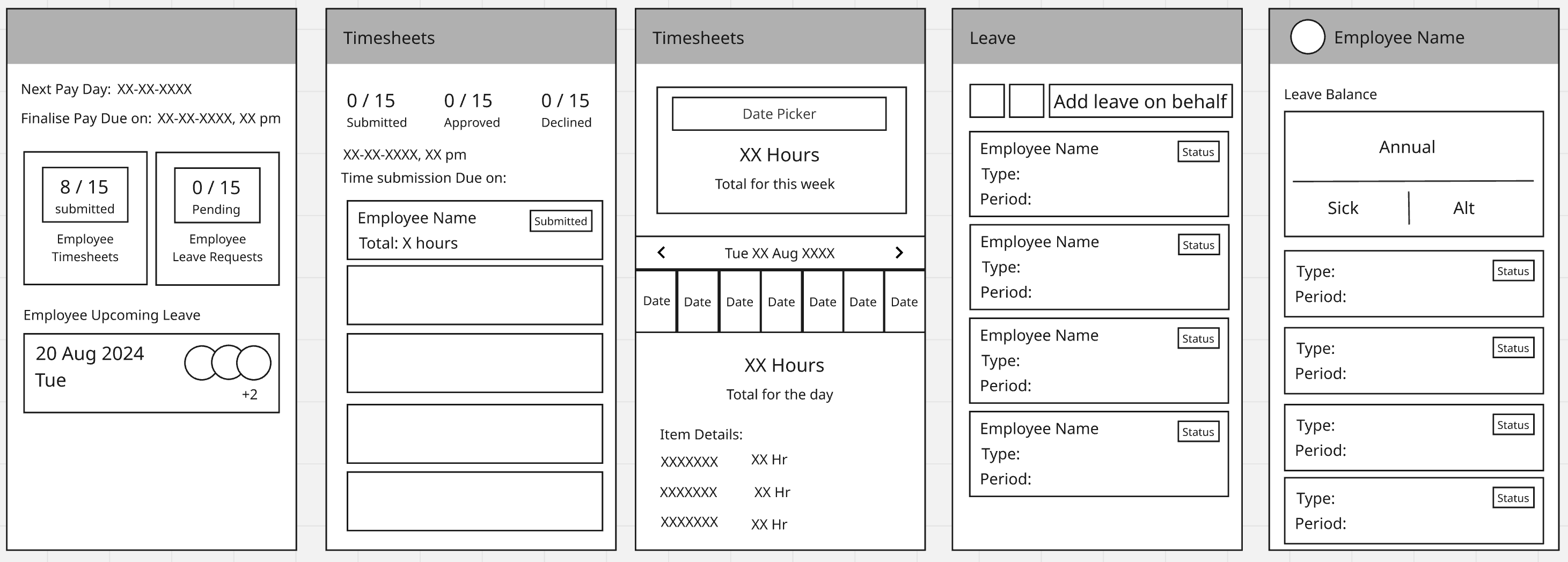
We translated our hypotheses into low-fidelity wireframes to quickly visualise potential solutions. These wireframes allowed us to explore different layouts, data hierarchies, and interaction patterns without over-investing in high-fidelity design too early.Once we identified promising directions, we developed an interactive prototype to simulate the end-to-end workflow across leave requests, timesheets, and approvals. This enabled realistic testing of user flows and micro-interactions.

While preparing the prototype for testing, we also focused on setting up a well-structured usability test. A successful usability test requires thoughtful preparation. We began by defining clear testing objectives to ensure we stayed focused on validating our key assumptions. To help participants engage comfortably, we crafted a realistic testing scenario that provided context and made the experience more relatable. We also prepared a set of targeted questions to gather both qualitative and quantitative feedback. During the test sessions, we remained mostly silent, allowing users to explore the prototype freely while we observed their behavior and emotional responses.
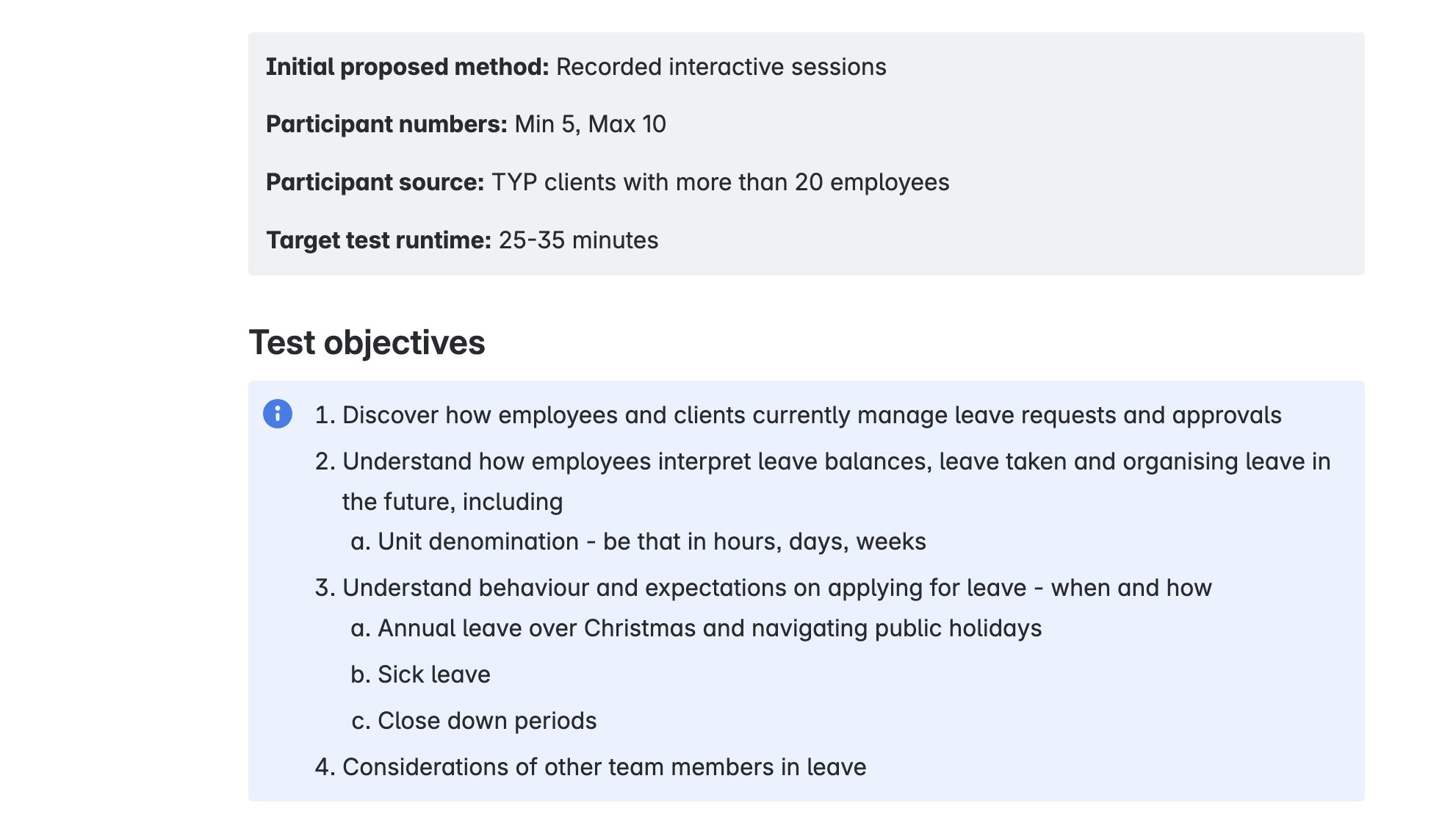

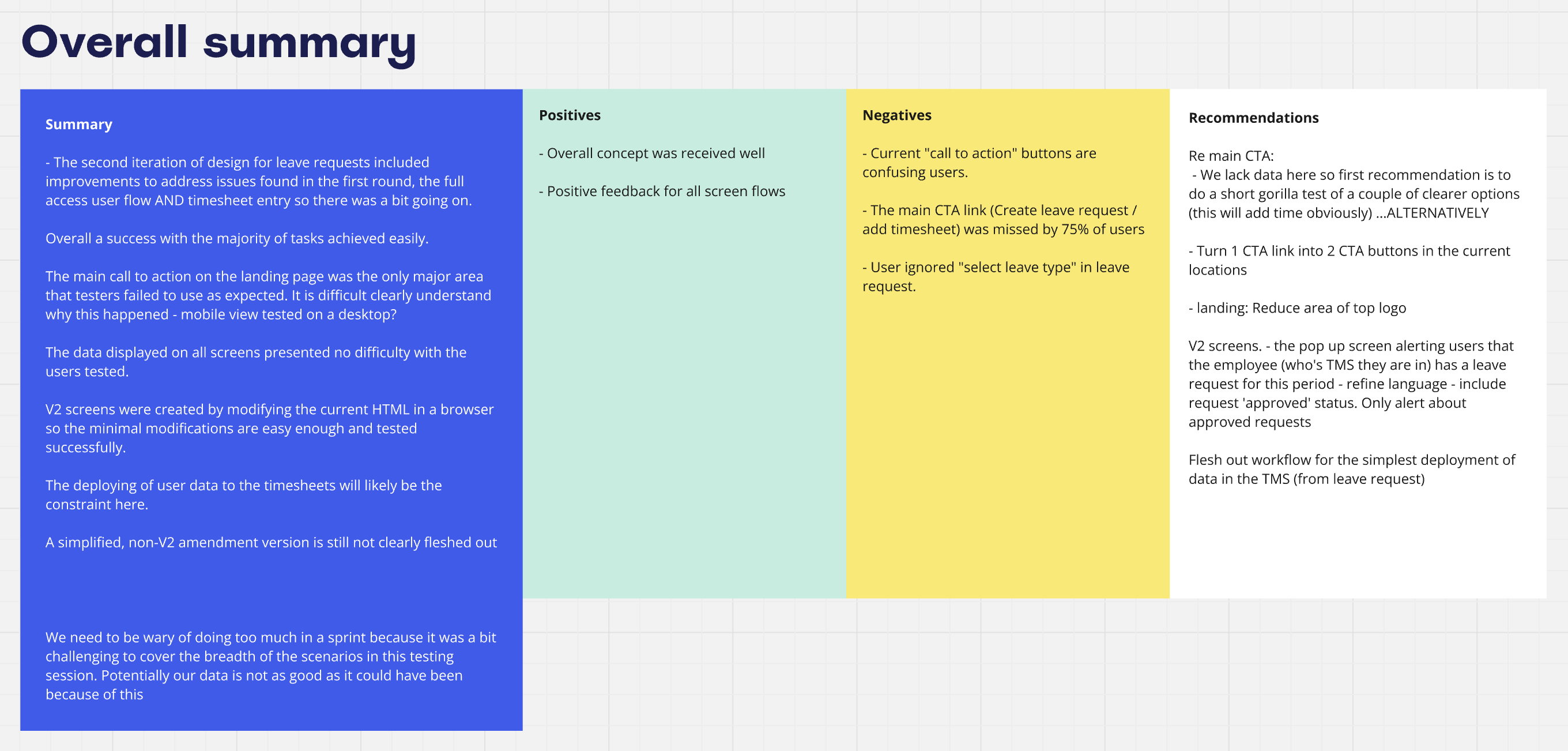
After completing the usability test, we gathered and analyzed all feedback to extract key insights and identify areas for improvement. Based on the outcome, we iterated on the design to address usability issues and enhance the overall experience. If necessary, we conducted additional testing to further validate our solution. Once our assumptions were validated and the design was refined, I finalized the deliverables and prepared them for handover to the development team.
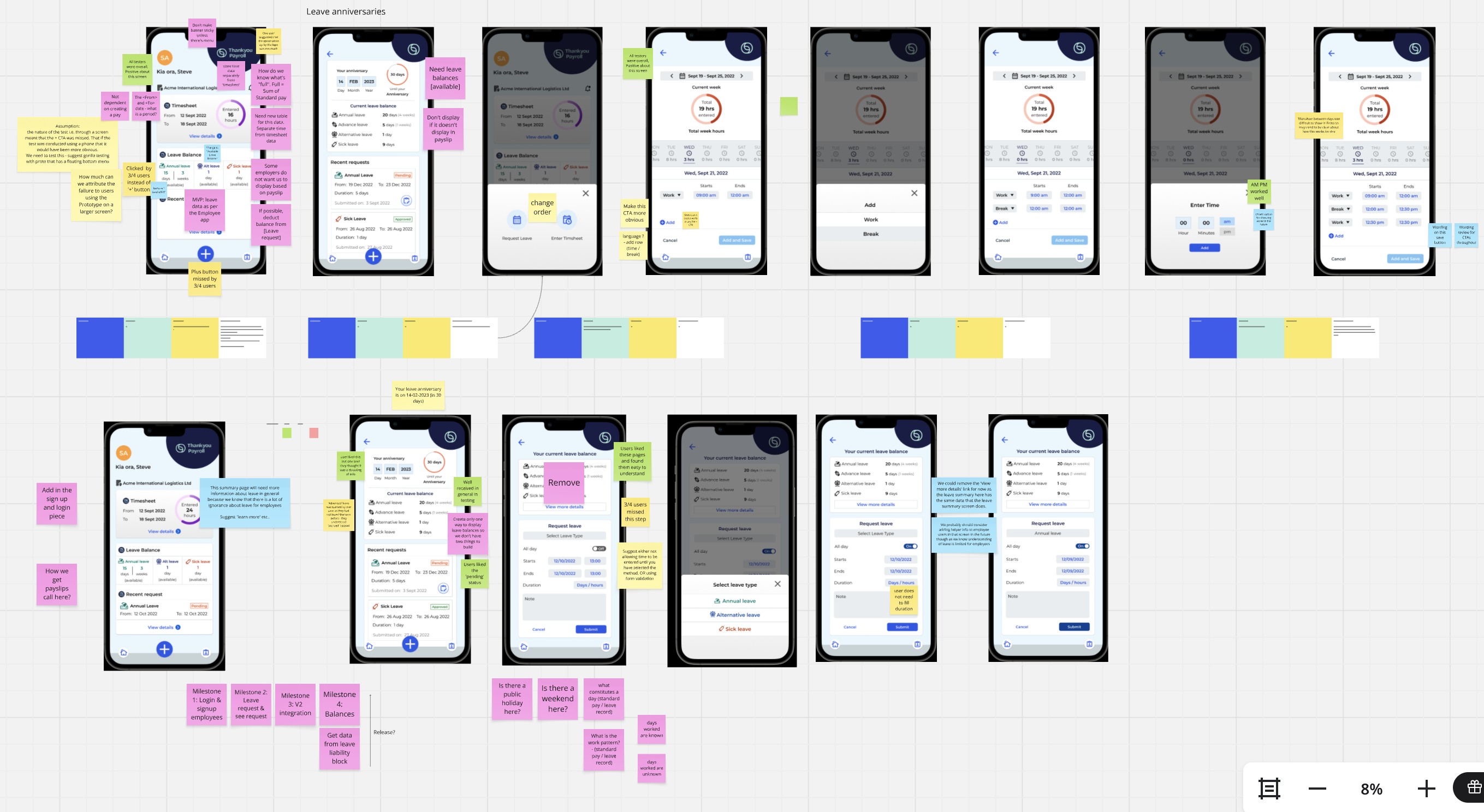
We translated our hypotheses into low-fidelity wireframes to quickly visualise potential solutions. These wireframes allowed us to explore different layouts, data hierarchies, and interaction patterns without over-investing in high-fidelity design too early.Once we identified promising directions, we developed an interactive prototype to simulate the end-to-end workflow across leave requests, timesheets, and approvals. This enabled realistic testing of user flows and micro-interactions.