
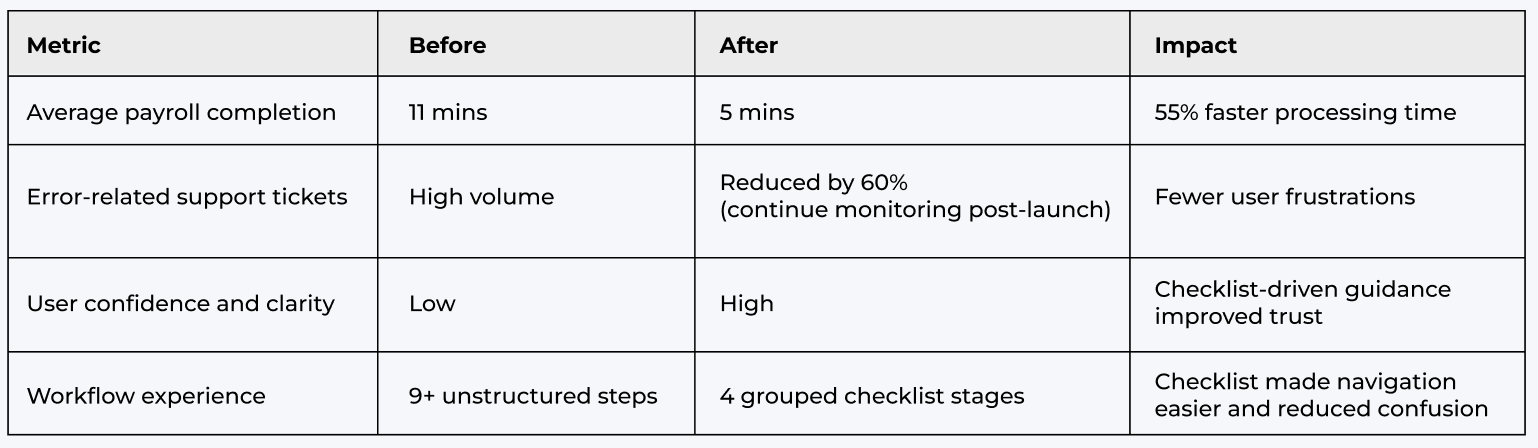
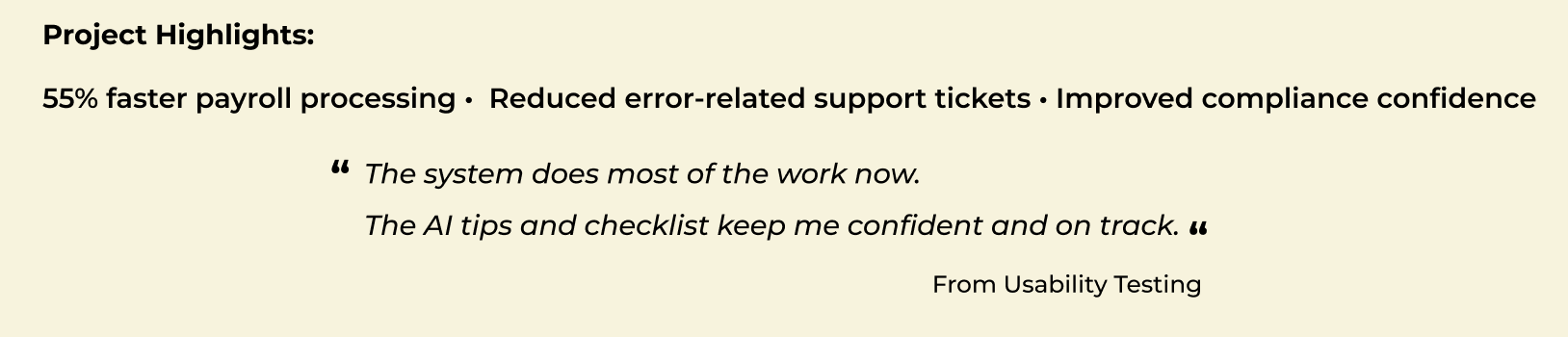
Redesigned Thankyou Payroll to transform a manual, error-prone process into a smarter, AI-powered experience, cutting payroll time by 55% and reducing support tickets by 60%.
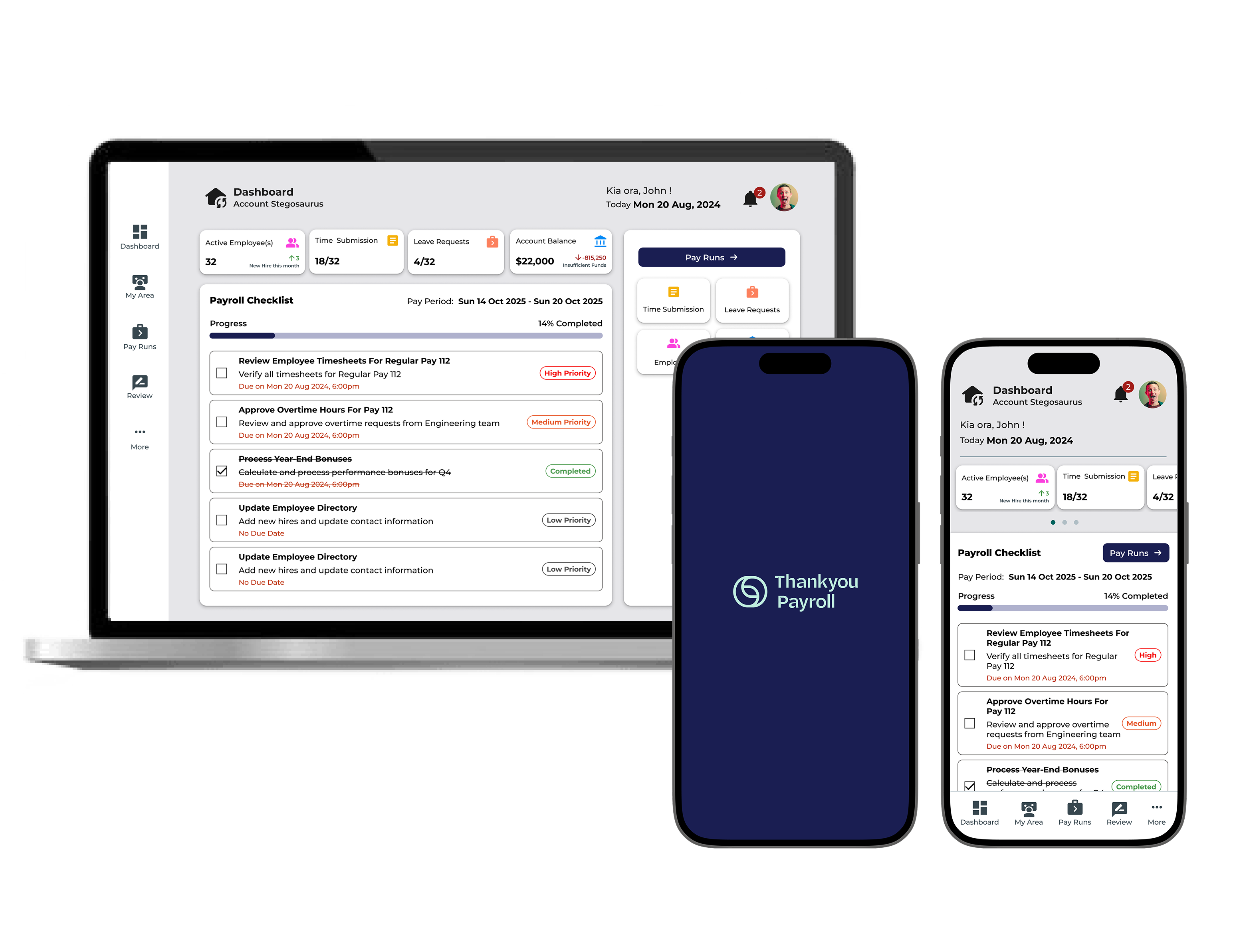
Redesigned Thankyou Payroll to transform a manual, error-prone process into a smarter, AI-powered experience. By integrating intelligent validation, predictive insights, and guided checklists, payroll completion time dropped from 11 to 5 minutes, error-related support tickets decreased, and compliance confidence improved.
Payroll processing was stressful for small business owners due to heavy manual data entry, limited error detection, and unclear workflows. The complexity of regulations also increased the risk of errors and compliance issues, leading to user frustration.
• Payroll runs averaged 11 minutes to complete.
• Frequent errors resulted in high volumes of support tickets.
• Users struggled to identify issues before final submission.
• Inconsistent data entry increased compliance risks.
• Simplify payroll workflows by reducing steps and manual approvals.
• Improve data accuracy by leveraging AI to detect missing or incorrect information.
• Minimize potential issues with predictive insights before submission.
• Build user confidence through a guided, error-free experience.
• Reduce support overhead by lowering common payroll-related tickets.
• Smart timesheet validation → AI checked missing or incorrect entries, reducing manual cross-checking
• Predictive error detection → Flagged anomalies like duplicate entries and mismatched leave balances before submission
• AI-guided checklists → Step-by-step process with AI suggesting actions, highlighting missing data, and ensuring all tasks are completed
• Proactive reminders → AI notified users about missing approvals, overdue submissions, and upcoming deadlines
Solo UX/UI Designer:
Responsibility: Owned the full product design lifecycle, ensuring seamless integration of AI-powered automation features to optimize the end-user experience.
1 x Project Manager
1 x Business Analyst
3 x Developers
6 months
Monday.com, Jira, Miro, Dovetails, Google Sheets, Loveable, Figma, Maze
Web platform with seamless mobile responsiveness.
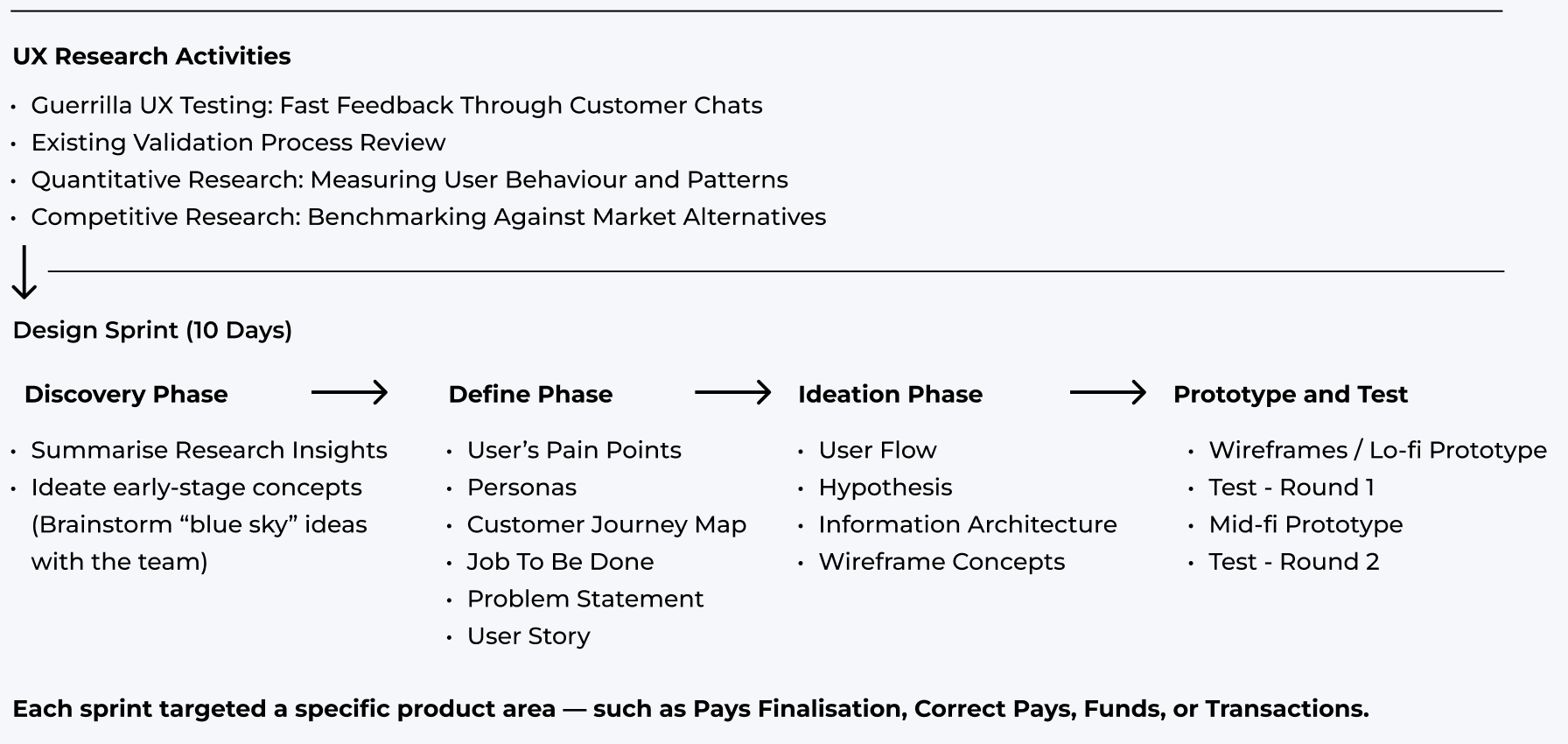
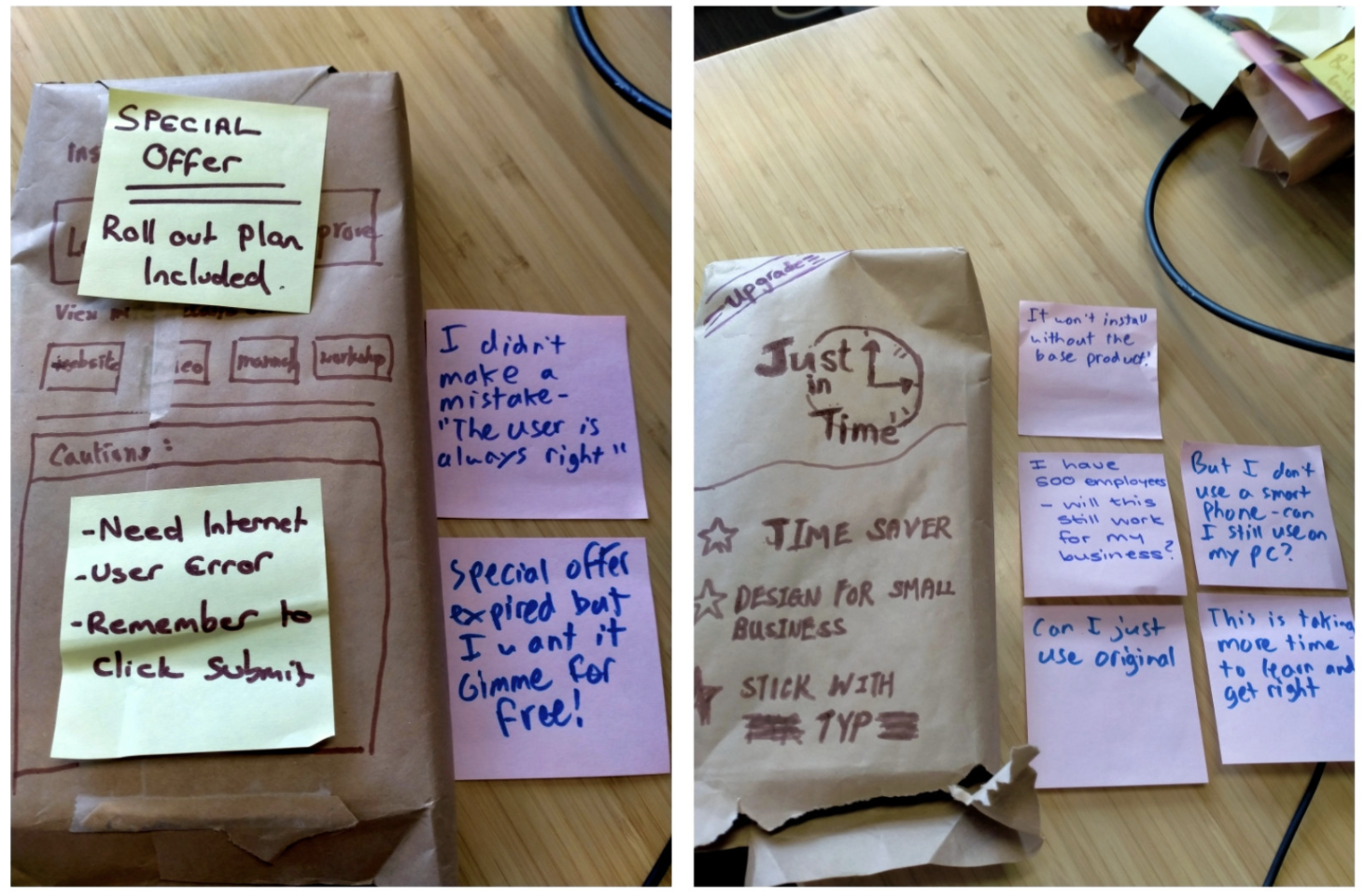
Before kicking off the design sprint, we deepened our understanding through multiple research methods: guerrilla testing, validating the current system, quantitative analysis, and competitive benchmarking. This comprehensive research provided a solid foundation for grasping the complexities of pay runs and transactions. Equipped with these insights, we proceeded with multiple rounds of 10-day design sprints to focus on specific areas, rapidly validate solutions, and foster close collaboration within the team. Here is the general design process:
We conducted multiple research activities to understand users’ needs, pain points, and workflow gaps, and to identify automation opportunities within the legacy payroll system. Insights from this research directly informed the AI-driven automation enhancements in the redesign.
• Understand the core problems behind slow, error-prone, and stressful payroll processing
• Uncover users’ mental models and decision-making patterns when finalising payroll
• Identify drop-offs and repeated actions within the legacy system to improve efficiency and reduce manual effort
• User Interview
• Legacy system review
• Quantitative analysis
• Competitive benchmarking
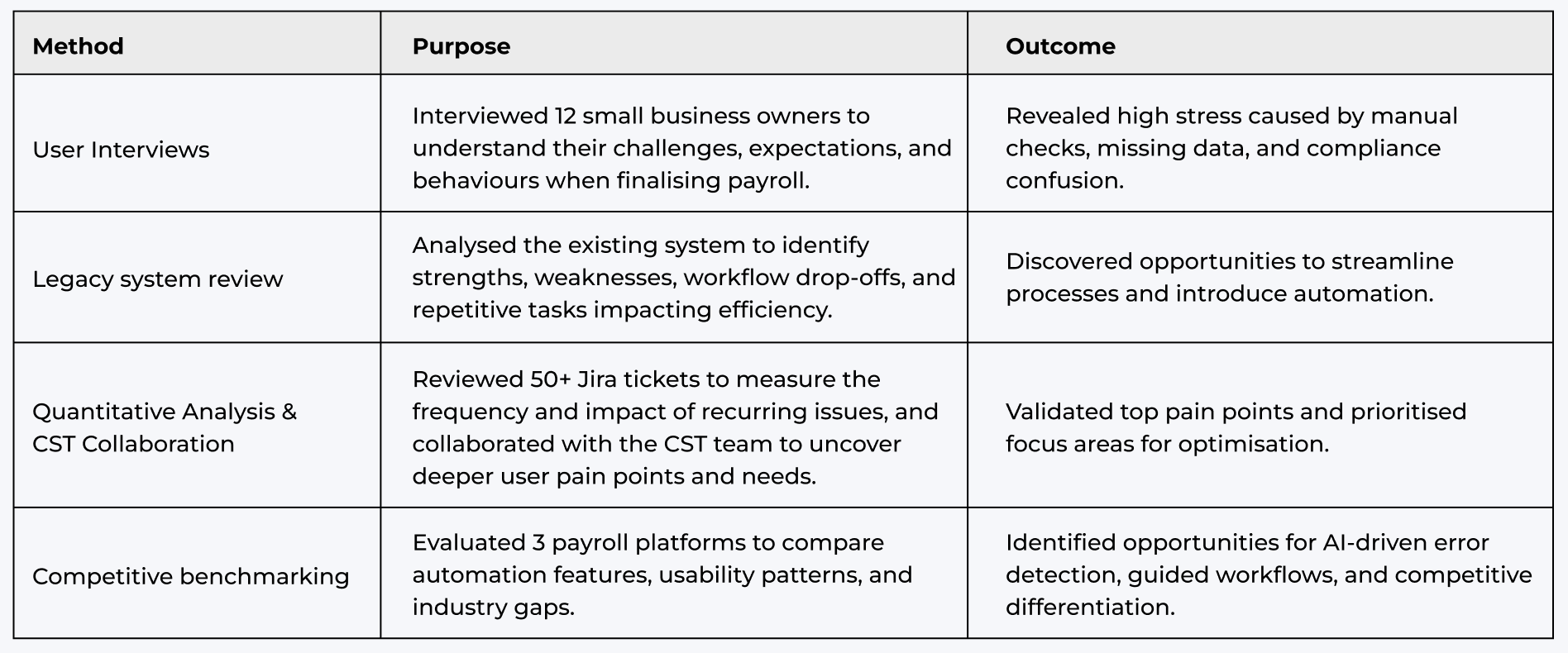
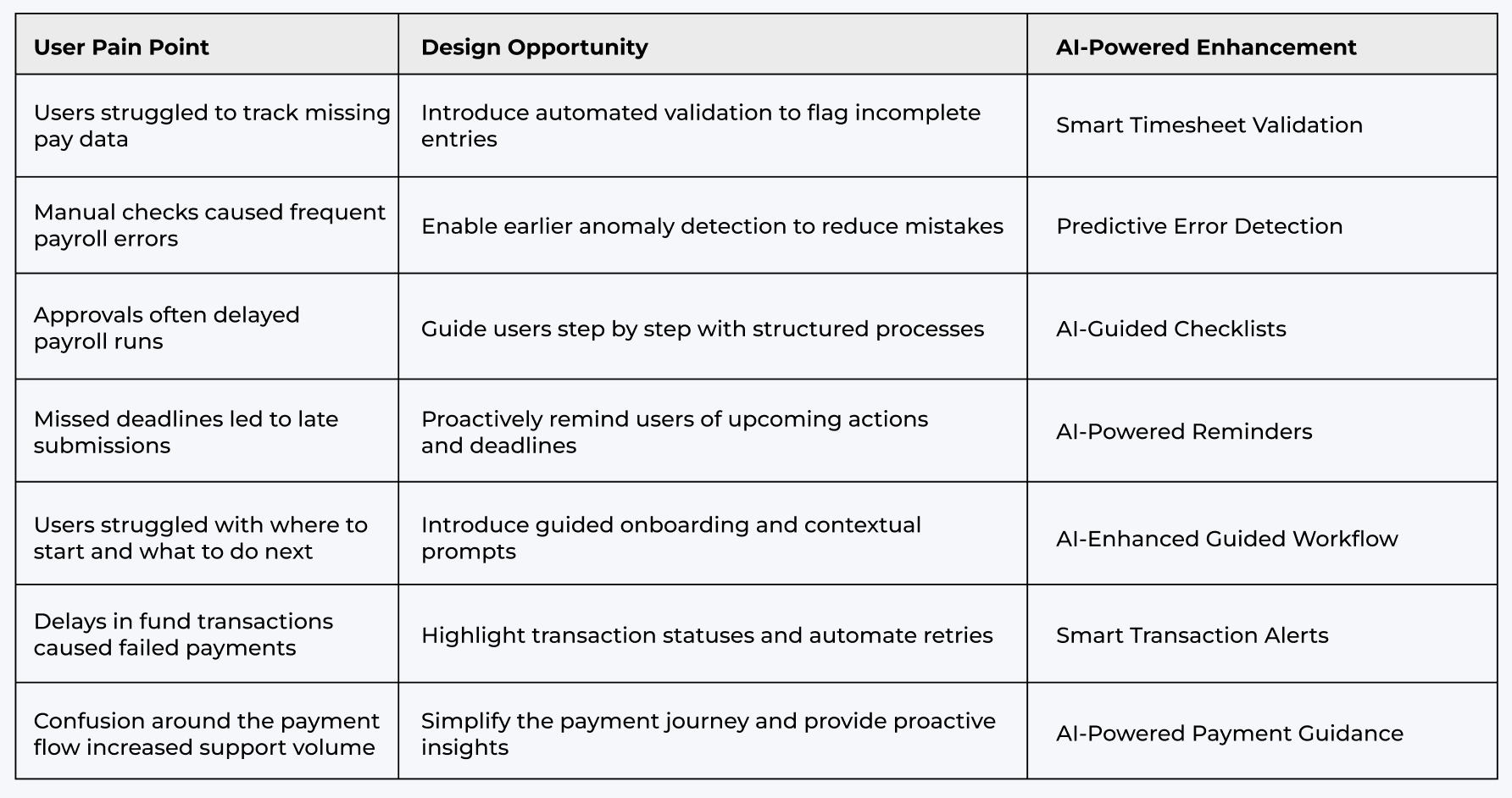
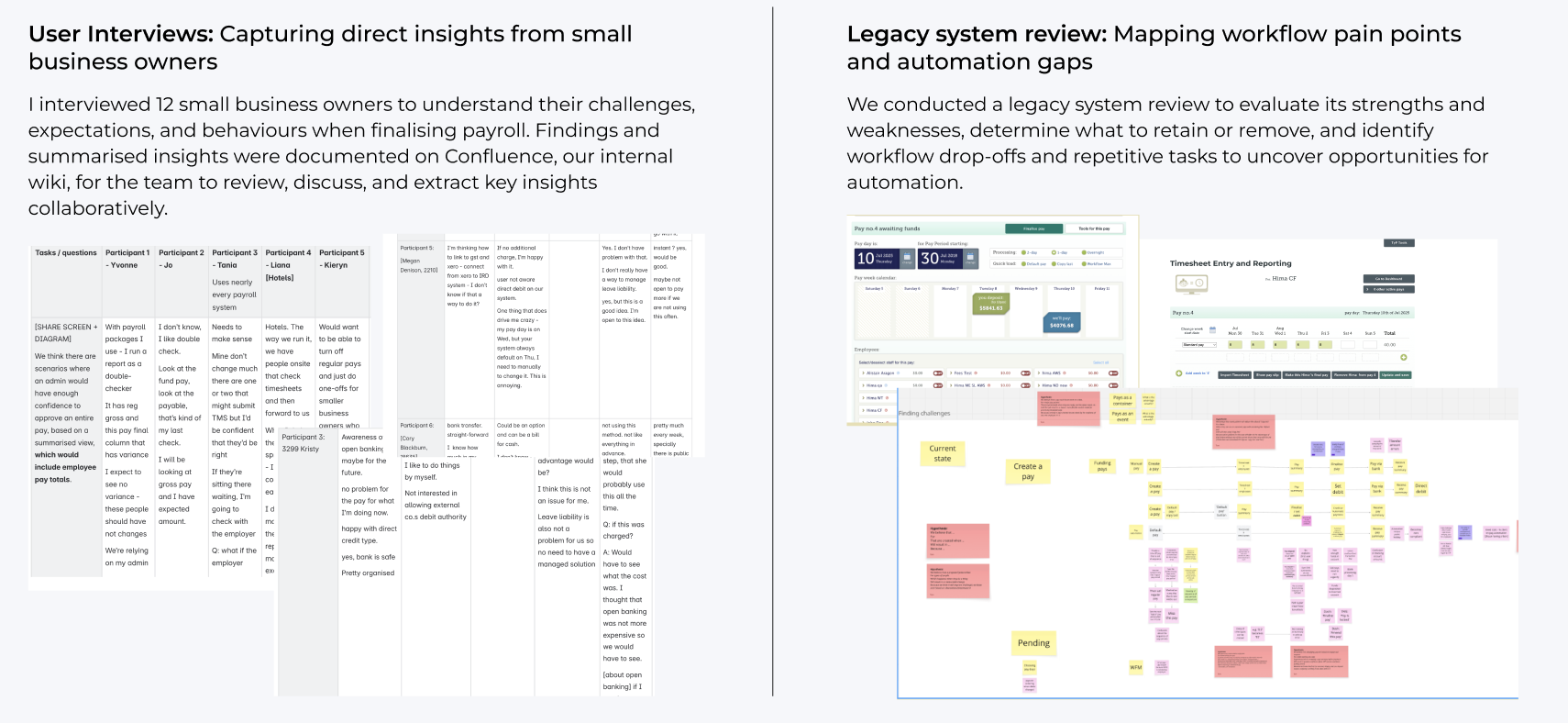
Sample outputs from research activities, including user interviews, legacy system reviews, quantitative analysis, and competitor benchmarking, which directly informed the AI-driven automation redesign.

These research activities uncovered critical pain points and guided the design of an AI-powered payroll experience that simplified workflows and improved user confidence.
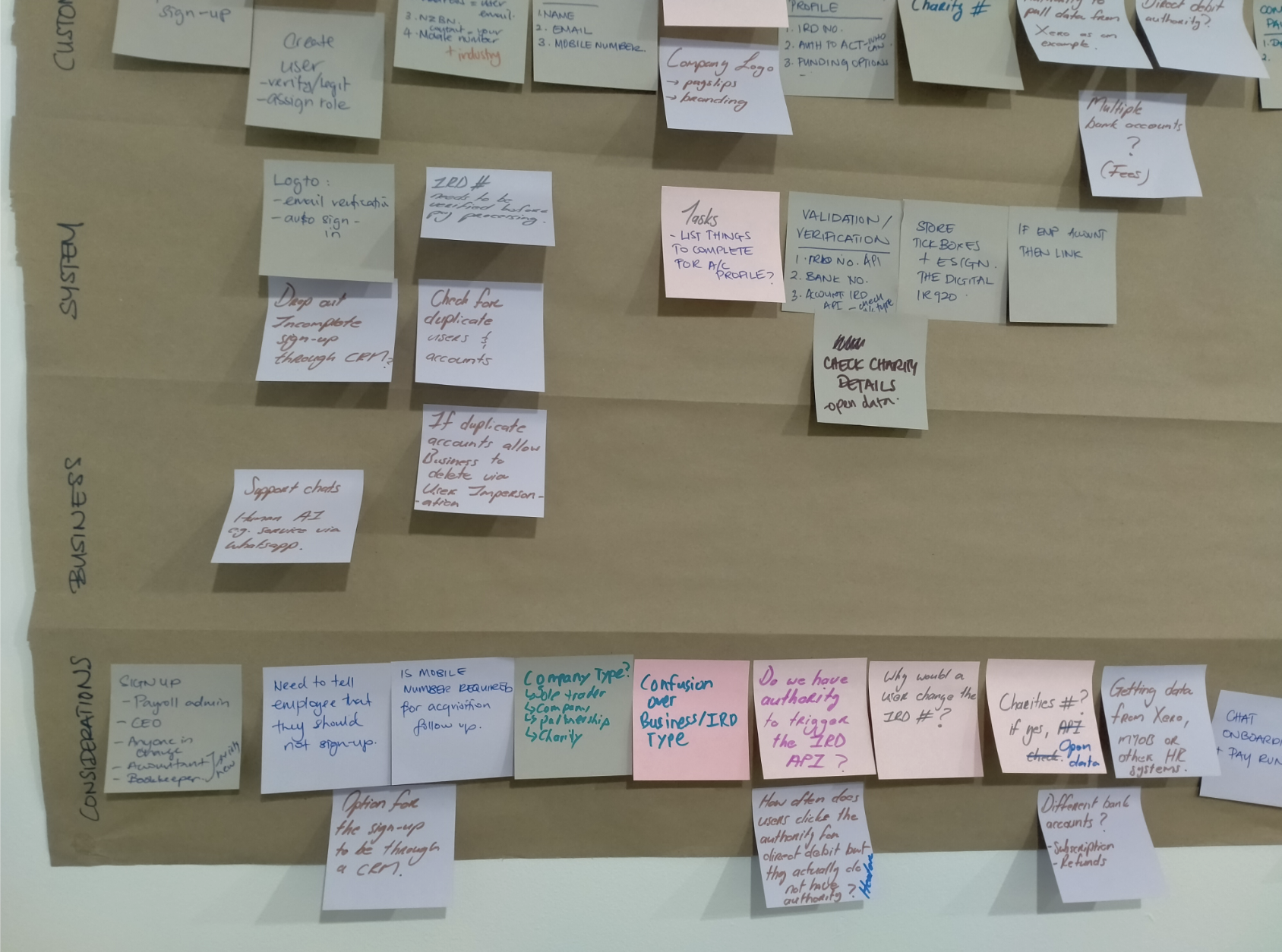
Using insights from the research phase, we launched a 10-day design sprint to align the team, identify core problems, and explore potential solutions. On Days 1 and 2, I synthesised research findings, facilitated brainstorming workshops, and collaborated with a cross-functional team to generate early ideas, uncover hidden opportunities, and evaluate technical considerations and solution directions.
Mapping research insights (Day 1)
Identified key themes and pain points from findings
Clustering ideas (Day 2)
Grouped concepts and prioritised focus areas
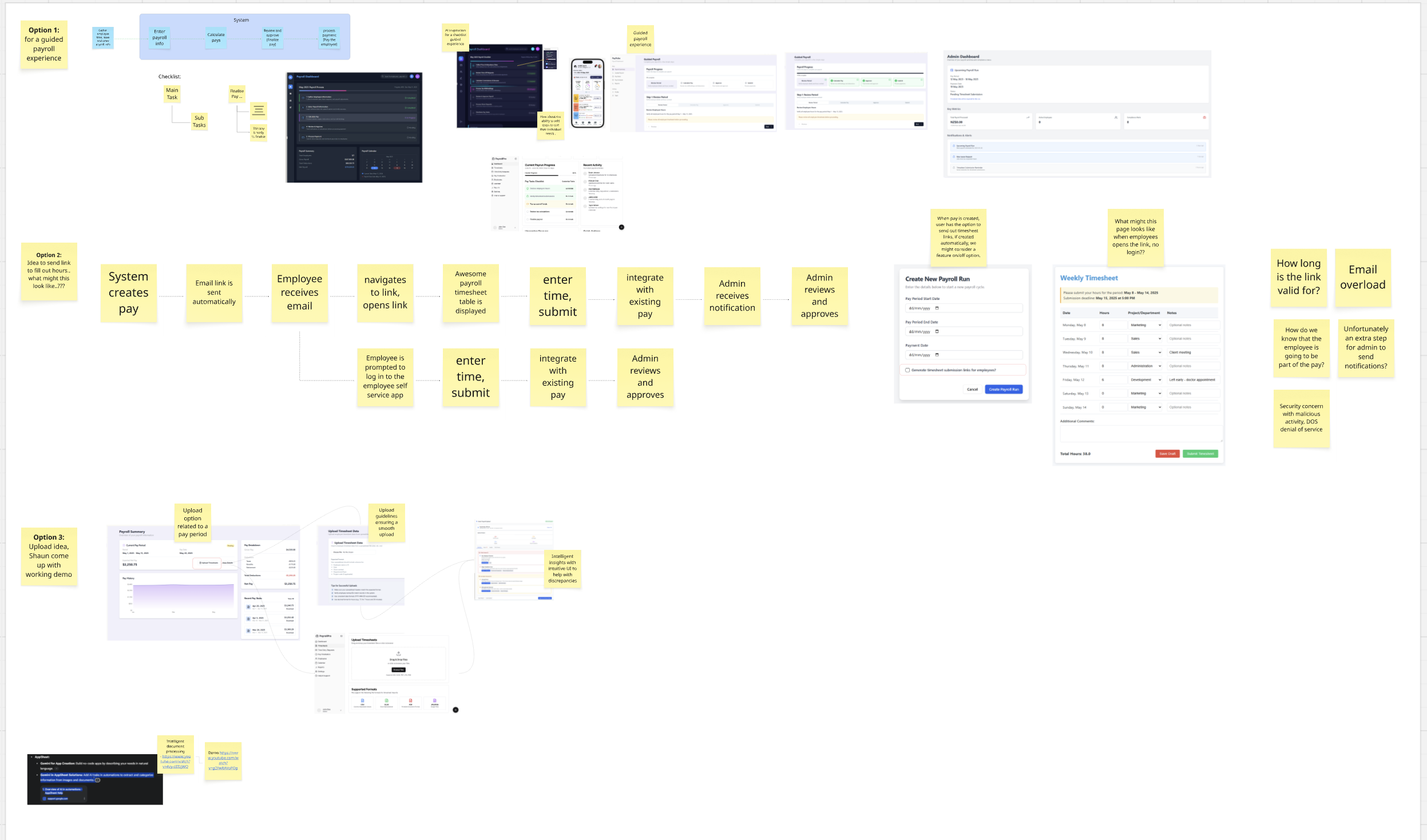
Miro board exploration (Day 2)
Visualised early flows and automation opportunities
These early ideas shaped the hypotheses and guided the focus areas for the next design phases.
Using research insights and early brainstorming, Days 3 and 4 focused on aligning the team around user needs, mapping key pain points, and defining problem statements and user stories. This process prioritised the most critical challenges and set a clear direction for automation-focused solutions.
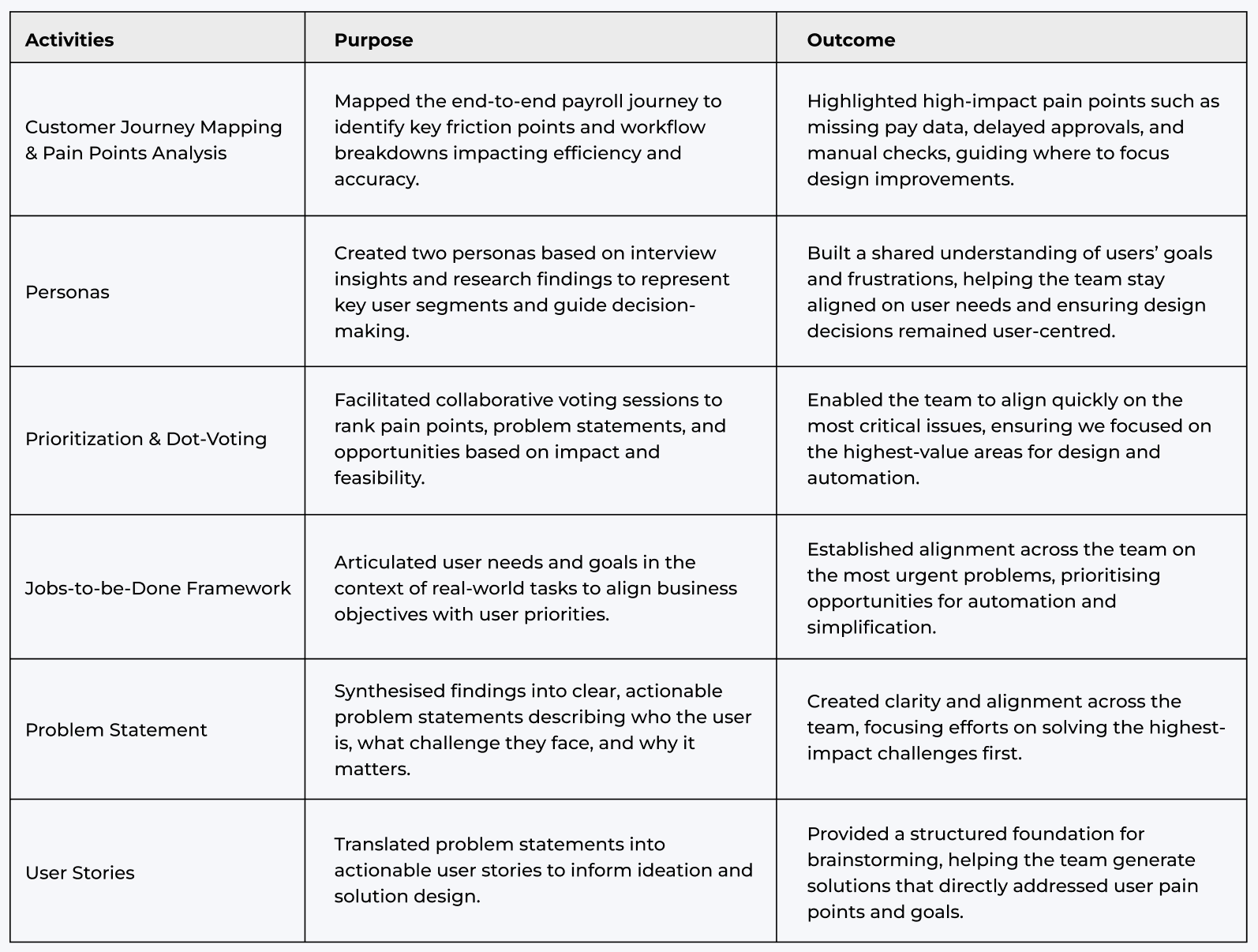
Sample outputs from key activities, including customer journey mapping, personas, dot-voting, JTBD framework, problem statements, and user stories, which directly informed the AI-driven automation redesign.
These insights revealed critical payroll pain points and guided automation-focused design improvements, simplifying workflows, reducing manual effort, and increasing accuracy.

After synthesising user insights, we defined a clear problem statement and user stories to align the team and guide the design direction. Our focus was on boosting confidence, improving clarity, and minimising payroll errors through automation.
Problem statement helps align the team on core payroll challenges, focusing efforts on solving the highest-impact problems and identifying opportunities for automation and guided workflows.

Converts problem statements into actionable user stories, providing a clear foundation for ideation and solution design.

• Identified 5 major friction points across the payroll journey
• Defined clear problem statements grounded in user pain points
• Prioritised opportunities for automation and simplification
• Established a shared understanding across the team for focused ideation
With the problem space defined, we began shaping the ideal payroll experience through user flows, information architecture, and design hypotheses. These artefacts helped us uncover automation opportunities, streamline complex workflows, and structure the system around real user needs.
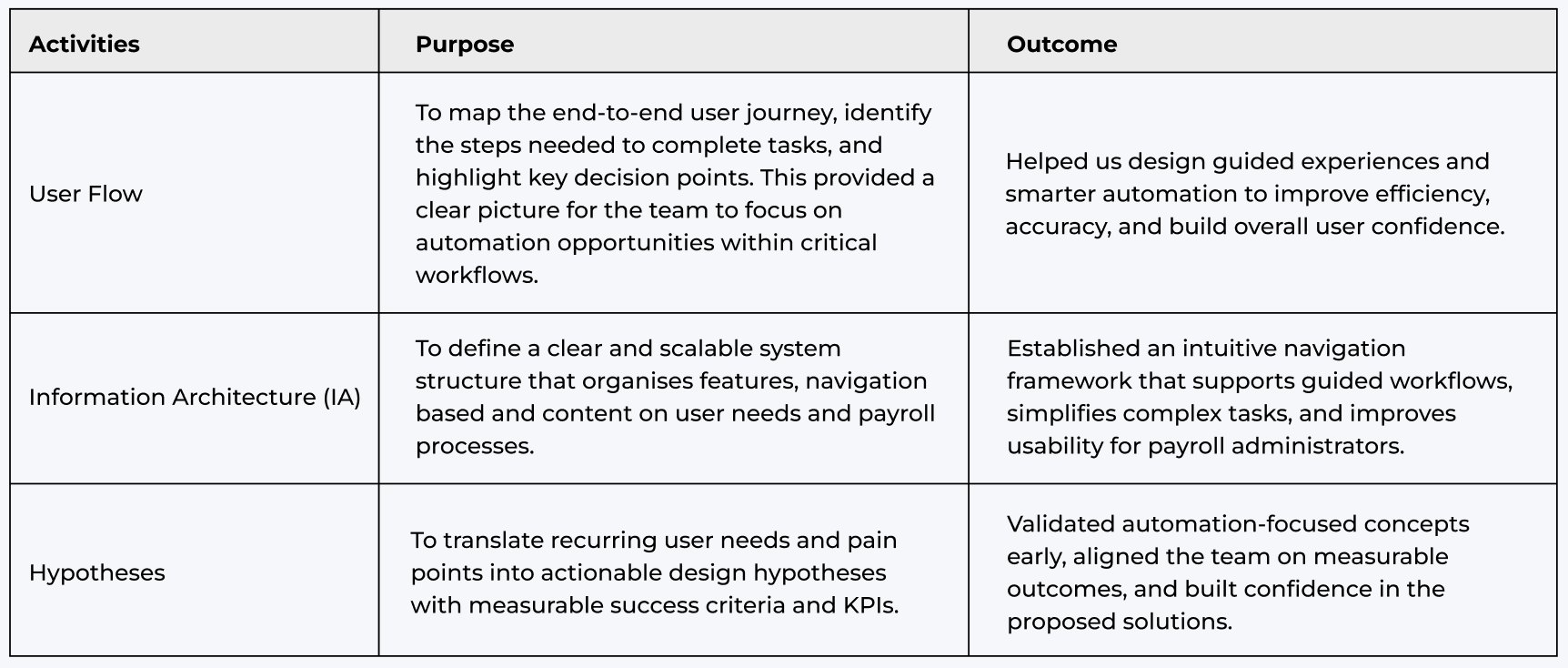

Before moving into solution design, we translated research insights into measurable hypotheses. This helped us define success criteria, prioritize automation-driven solutions, and ensure our designs addressed real user needs. At Thankyou Payroll, we used a shared Google Sheet to track hypotheses, keeping the entire team aligned and informed.

These validated hypotheses guided the next phase of ideation, enabling us to focus on automation opportunities that improved accuracy, reduced manual effort, and enhanced user confidence.
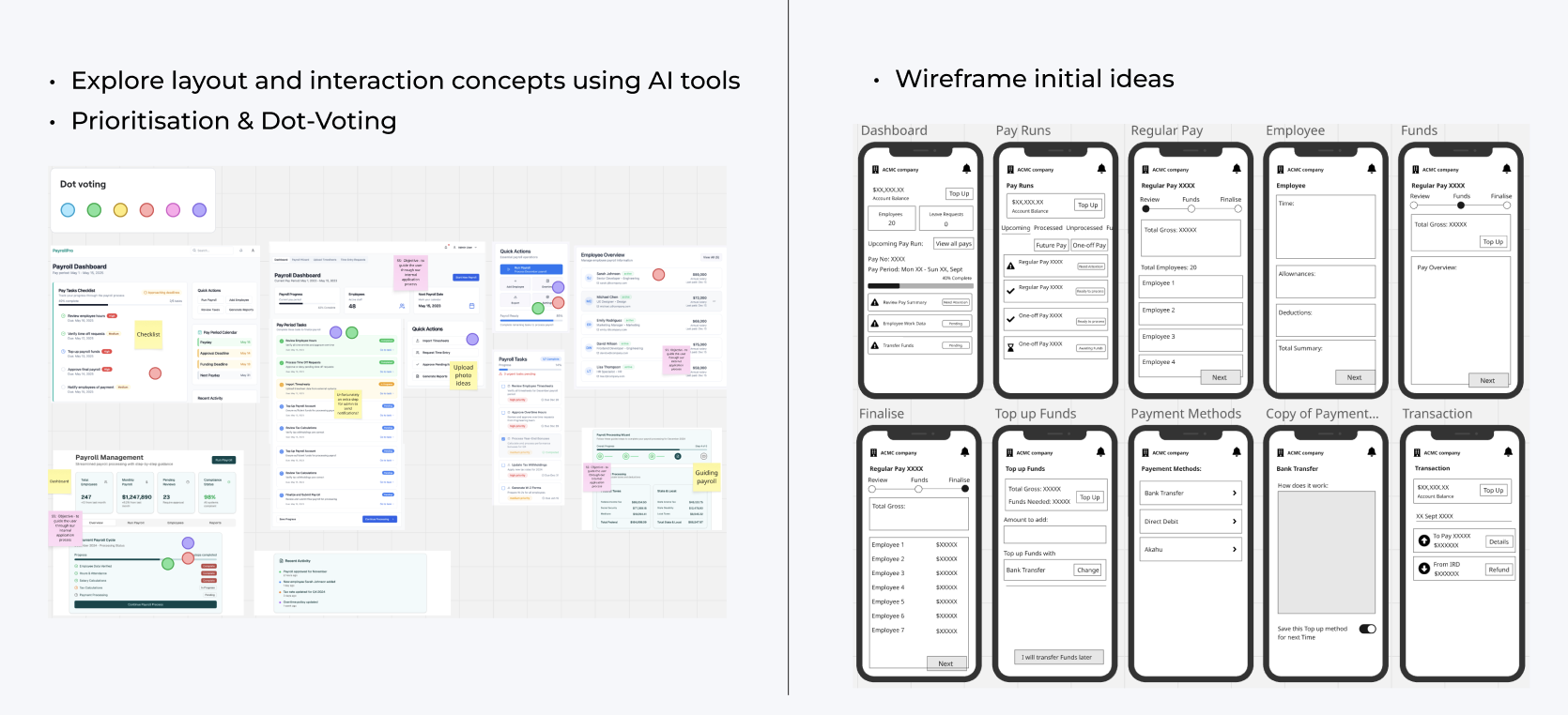
We translated validated hypotheses into low-fidelity wireframes to explore layouts and interactions. Using Loveable (AI tool) to generate concepts and a voting system to prioritise the most promising ideas, we created wireframes, shared them for team feedback, and developed a low-fidelity prototype for usability testing.

Exploring ideas and wireframing helped us find common ground, consider technical constraints, and balance user needs with business objectives.
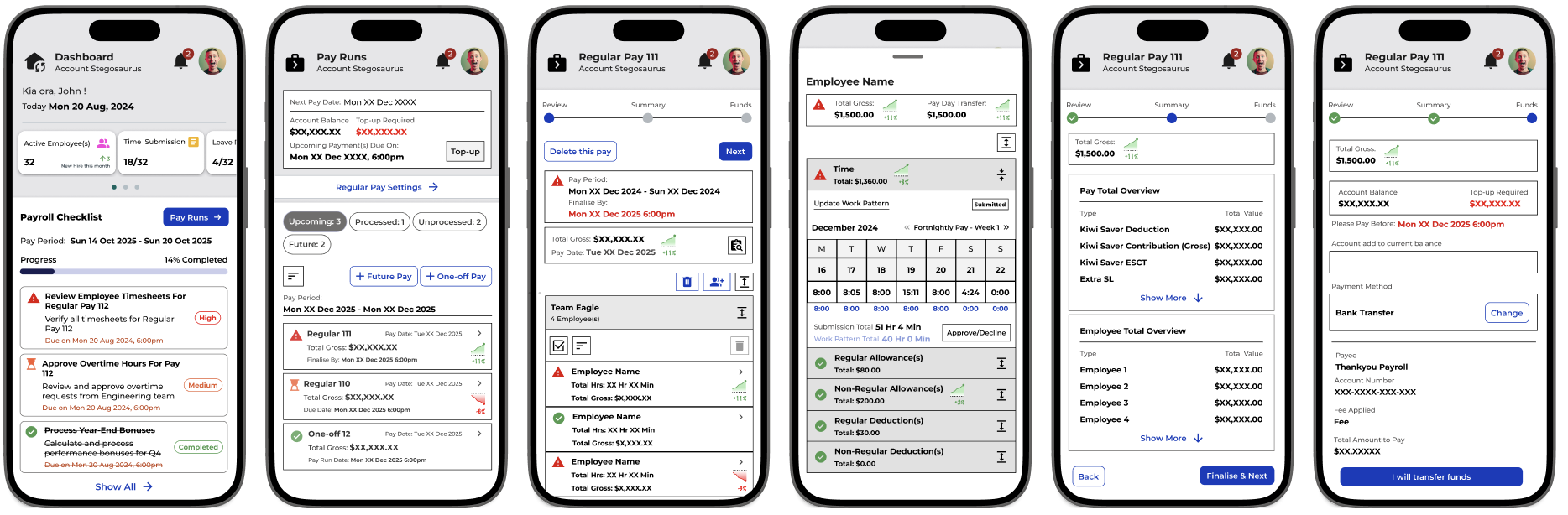
Prototyping to bring ideas to life and validate solution assumptions with users
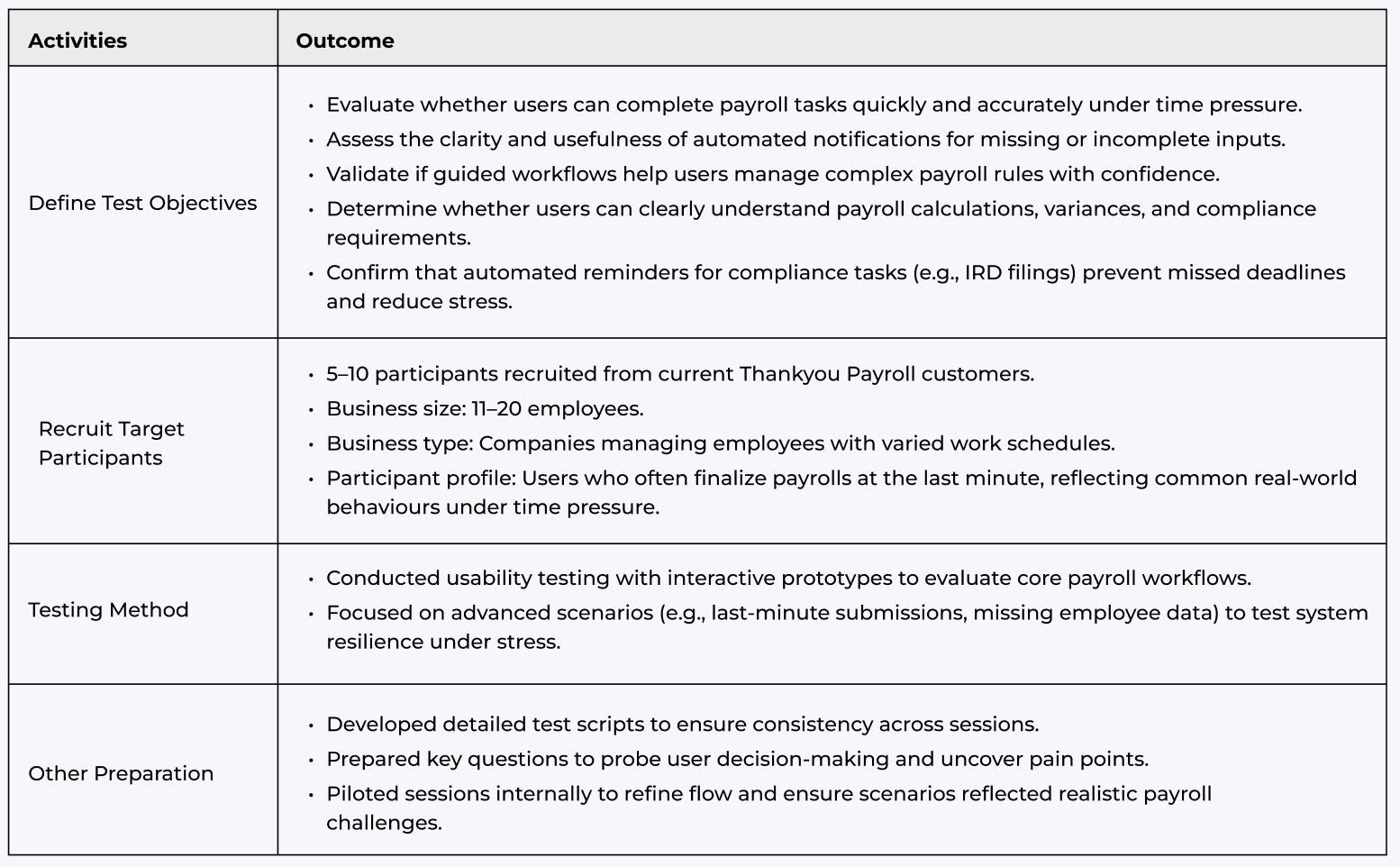
While preparing the prototype for testing, we designed a structured usability plan. This included defining clear objectives, recruiting representative participants, selecting testing methods, and preparing scripts to ensure consistency across sessions. Our aim was to validate whether the system supported real-world payroll scenarios under time pressure, provided clarity, and reduced errors.
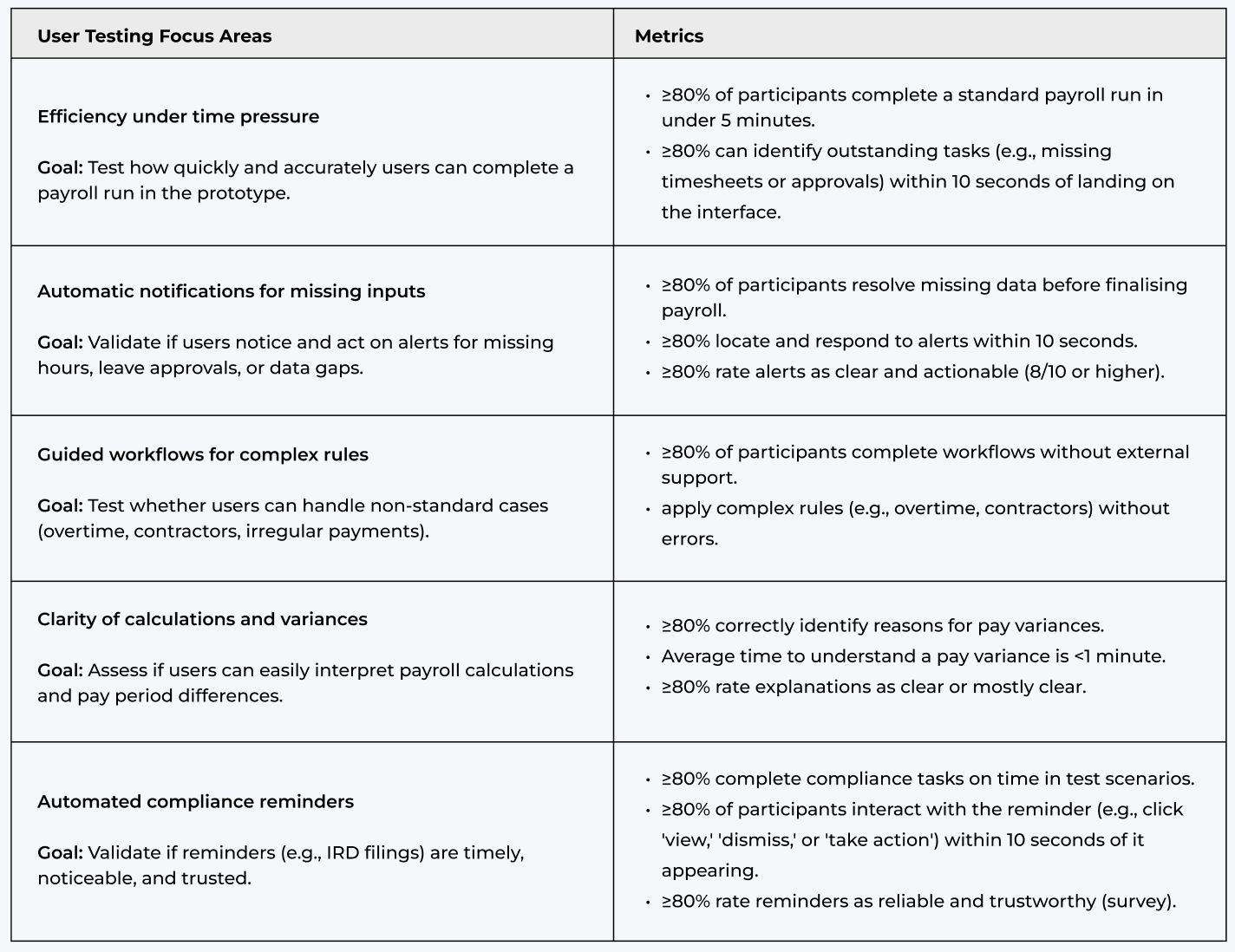
We established clear focus areas and metrics to measure testing outcomes, helping us prioritise design iterations effectively.
Following the testing sessions, I brought the team together for an insight workshop. We consolidated the findings, synthesised the results, and identified both key usability issues and opportunities for improvement. The photo below captures a moment from that session.
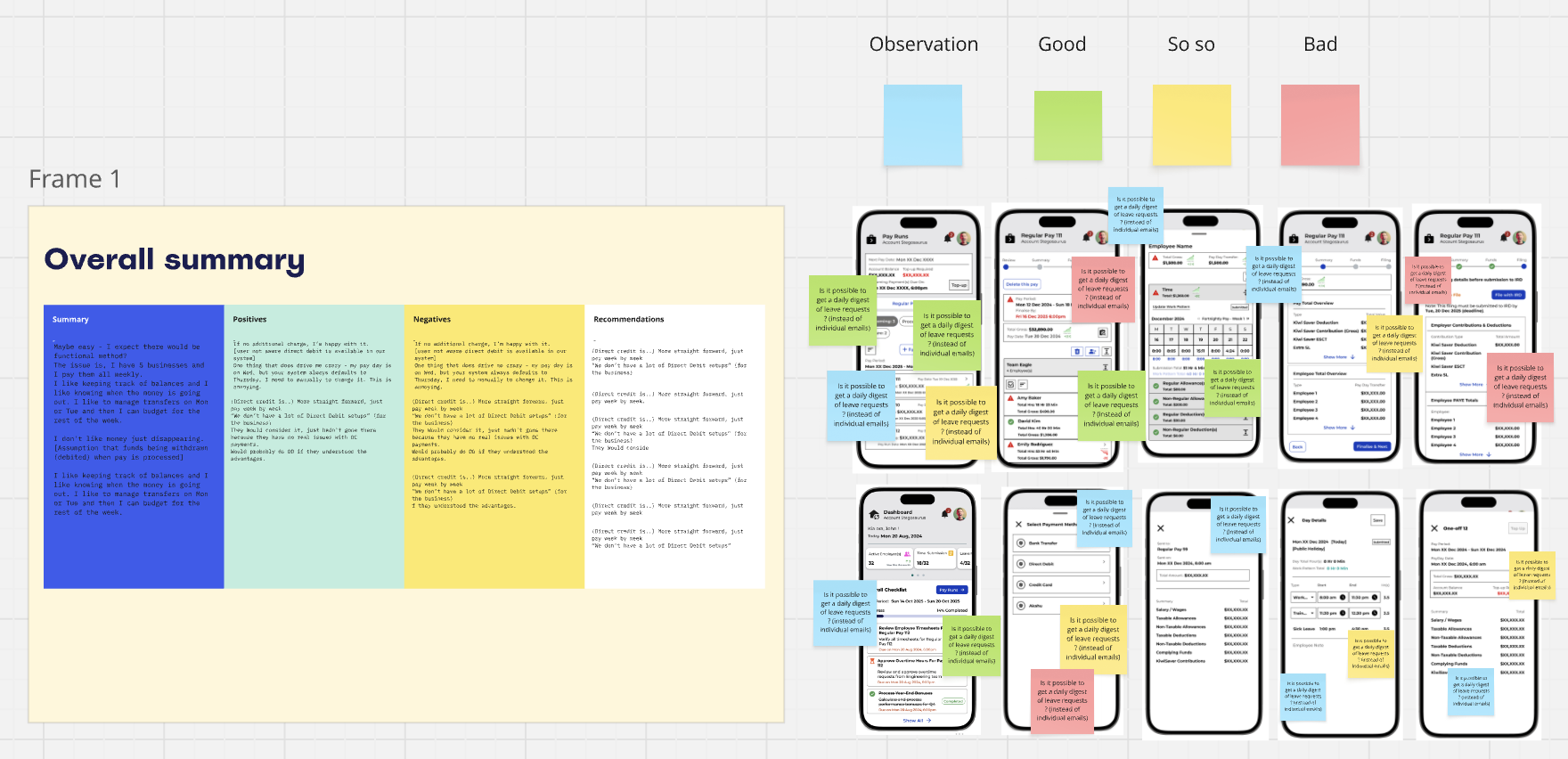
Based on the session insights, we identified and prioritised key areas for iteration, ensuring the solution addressed user needs while staying aligned with technical considerations. The main focus areas for iteration are outlined below.

These key areas guided our prototype iterations, with the images below highlighting the before-and-after improvements.
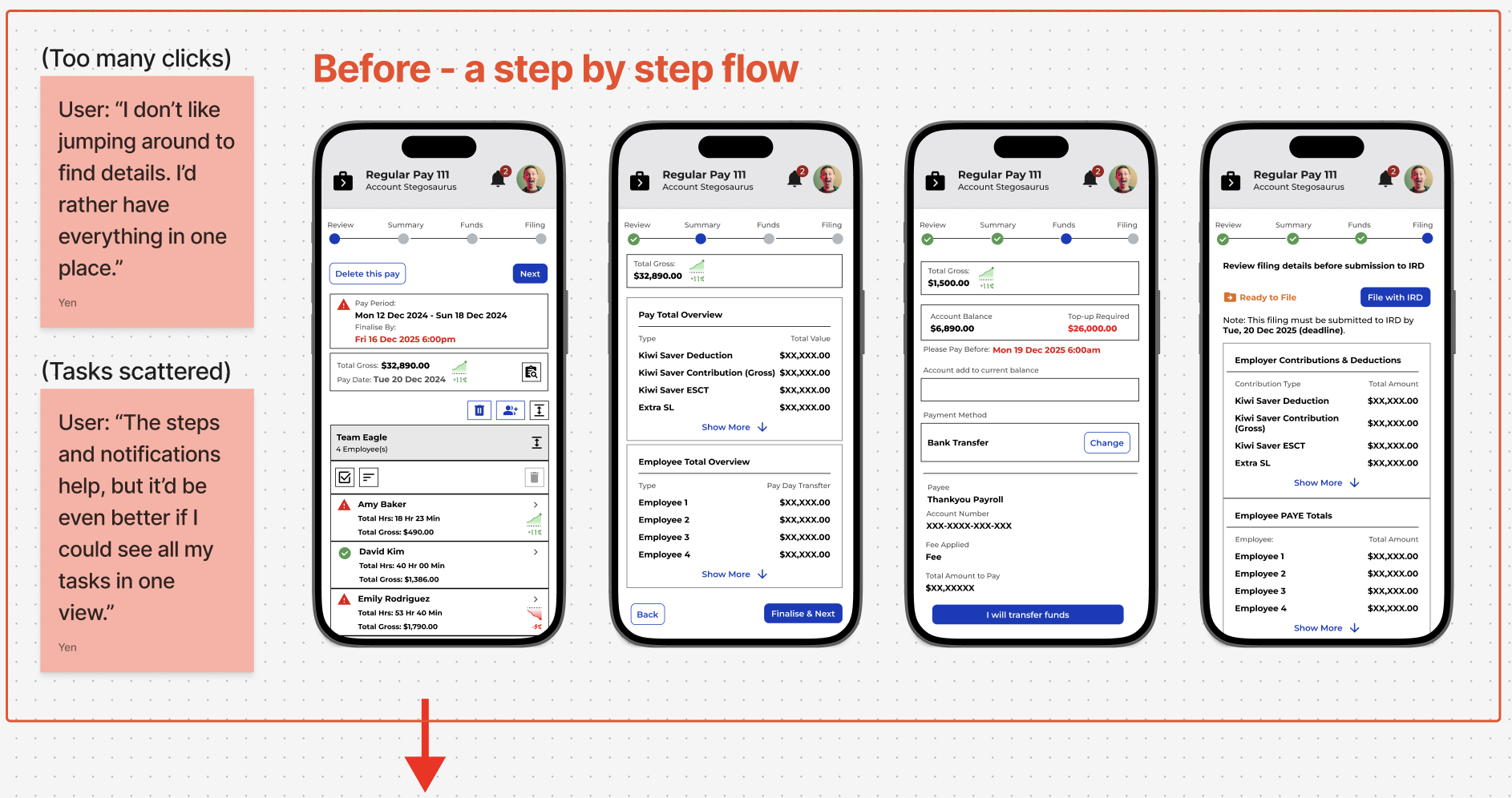
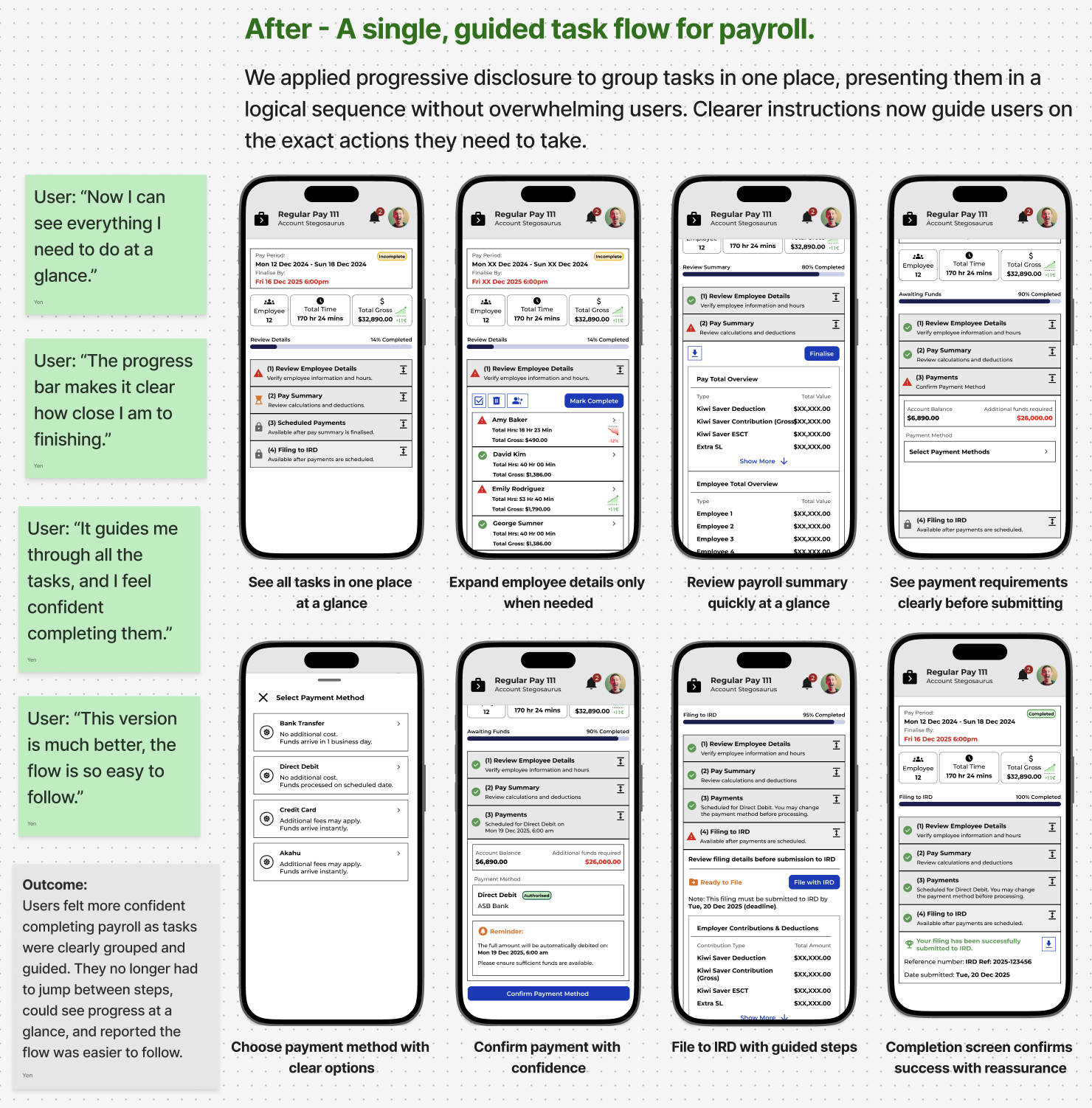
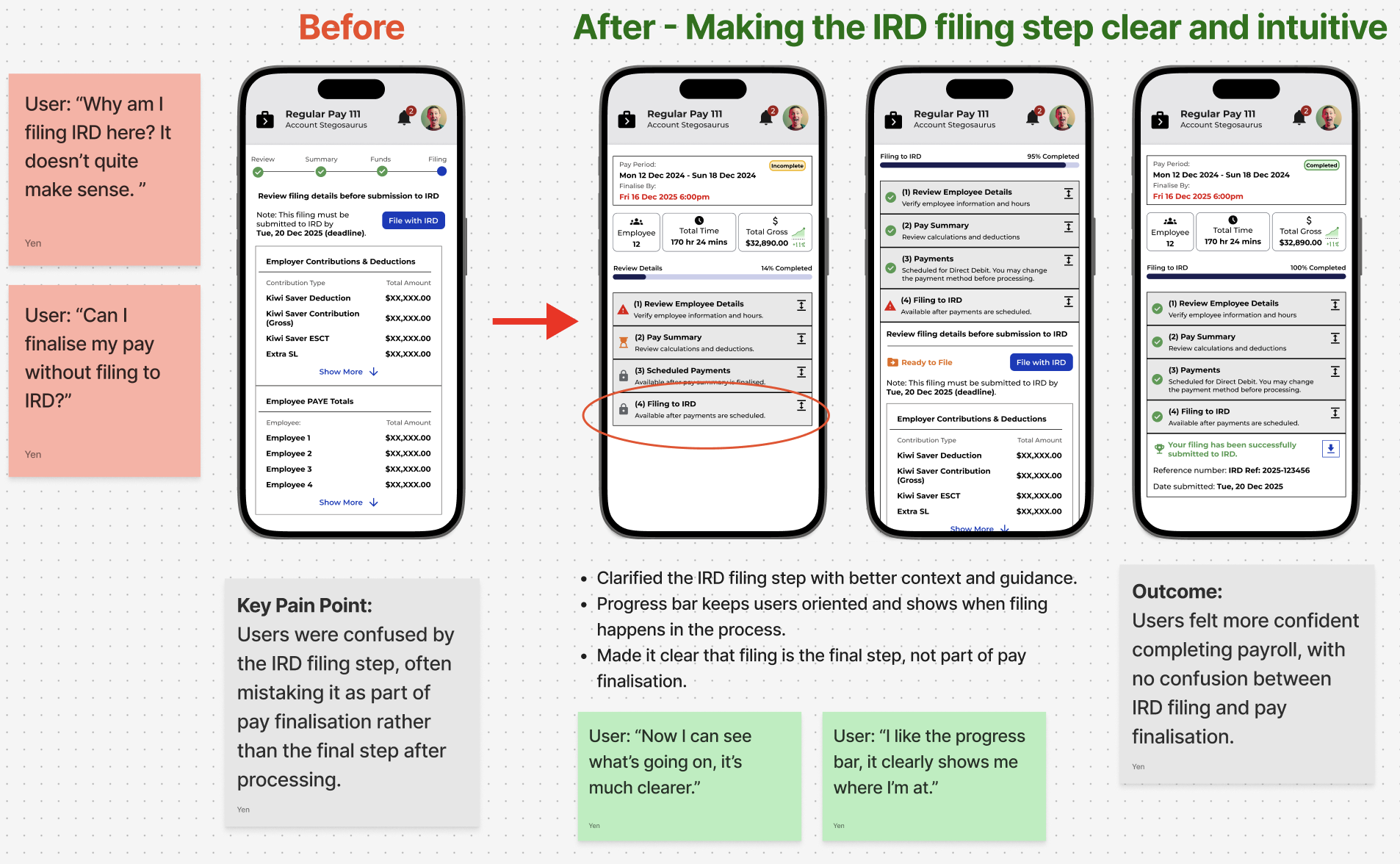
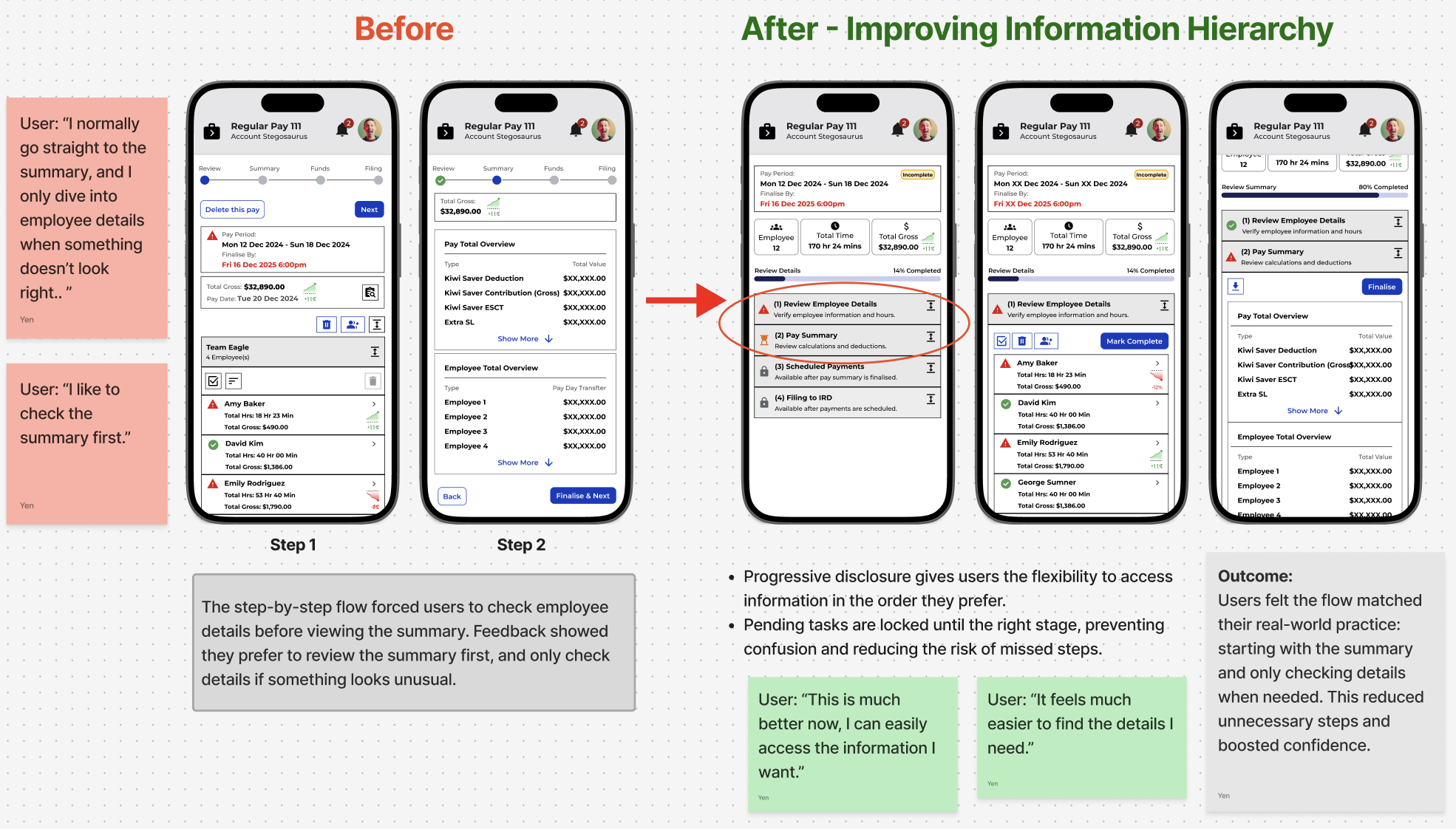
Through iterative testing and refinement, we transformed a complex payroll process into a guided, automated experience. By aligning the flow with real user behaviour, we improved efficiency, reduced errors, and gave administrators confidence and clarity.
Once validated, the designs were finalised and handed off to development, resulting in an intuitive, well-tested payroll experience that improved visibility, streamlined workflows, and reduced cognitive load.